Cloud bar replay shows the next bar when the timeframe changes
This page is the timeframe switch, not the chart-or-desk price table.
Direct answer
TradingView Bar Replay lives on the cloud chart you already open. Change timeframe and the next bar can already be on the screen. A local Windows desk is a separate seat: sessions on disk, no Pine, no Mac. That desktop offline is a Windows replay on this PC. It is not TradingView Desktop. TradingView’s own help says that while Bar Replay is on, trading orders (Paper Trading and other brokers) execute on real-time data, and quotes on the trading panel are real-time too (how to turn Bar Replay on (https://www.tradingview.com/support/solutions/43000474024-how-do-i-turn-bar-replay-on/)). Completed fills from that sitting do not stay in their replay session. The plan-depth table and the cells we lose are on the TradingView selection page.
TradingView Bar Replay is a feature inside the charting workspace you already open. You pick a start bar, play history at adjustable speed, keep drawings, and — on paid plans — use Replay Trading with session stats. Minute-level history depth follows your subscription; TradingView’s own Support article spells out Essential (~six months of 1-minute), Plus (~one year of 1-minute), and deeper tiers (how much data is available for Bar Replay (https://www.tradingview.com/support/solutions/43000692816-how-much-data-is-available-for-bar-replay/)).
BarionQuant is a local replay Windows desktop that is not a charting SaaS seat. You sign in to us, pull practice data (including FX, Gold, and Binance BTC/ETH — Free is the latest published month — and SOL on Standard or Pro), and run a session on the machine. A paid seat includes the replay handbook. We do not have Mac, a browser replay, Pine Script, or TradingView’s thousands of exotic assets. Blind Evaluation hides the symbol and the calendar; prices stay on the scale. After sign-in, replay can stay on this PC for up to 72 hours. We are not a broker.
Stay on TradingView if leaving that chart would break how you think. Leave for a desk if you want practice sessions and a method shelf without treating Bar Replay plan limits as your classroom ceiling.
On 2026 lists you will also see TestingView. One name, not a score.
How to judge
Four questions. Answer them before you compare button colors.
1. Is the chart the product, or is the session the product? TradingView wins when the same layout, indicators, and multi-asset workspace are how you rehearse. Bar Replay is honest about that: it lives on the chart’s top panel (Bar Replay help (https://www.tradingview.com/support/solutions/43000712747-bar-replay-how-and-why-to-test-a-strategy-in-the-past/)).
BarionQuant wins when you want a training loop you can start and stop on the PC, then read a handbook on the same seat. The live Pricing line is “Subscription includes the replay handbook.” We do not sell a separate course SKU.
2. Where does the history live, and what unlocks more of it? On TradingView, intraday replay depth is a plan property. Essential and Plus are not the same minute archive; Premium and Ultimate go further. That is a feature if you already pay for charts. It is friction if you only wanted a practice room.
BarionQuant keeps sessions local. We will not invent a matching all-market minute archive. If you need “every symbol TradingView can show, replayed deep,” we lose that cell on purpose.
3. Do you need the charting ecosystem — Pine, community scripts, phone, multi-asset — enough to keep practice there? If yes, stop shopping for a desktop “alternative.” You are shopping for a second job. Search will also surface Forex Tester / FTO posts that sell tick simulation and prop-challenge modes. That is a different race. This article is not that race.
4. Can you practice without hindsight bias (peeking at the future)? On TradingView, activating Bar Replay requires manually selecting a cut-off bar on an already visible chart. Your eyes almost always register the subsequent price action — whether a sudden flash crash occurred or a range broke out. That subconscious peeking pollutes the integrity of your practice. BarionQuant provides a native Blind Evaluation mode that automatically loads random historical slices while hiding ticker symbols and dates until your session ends.
What we do
I treat the site as a method shelf and the desktop as the gym floor. Positioning B: methods first, software as the training desk. We are not trying to replace the chart you use to watch the world.
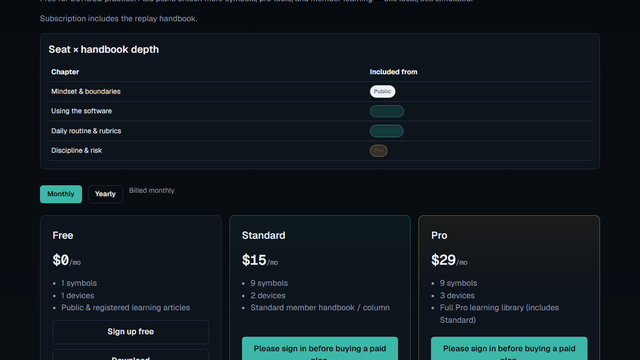
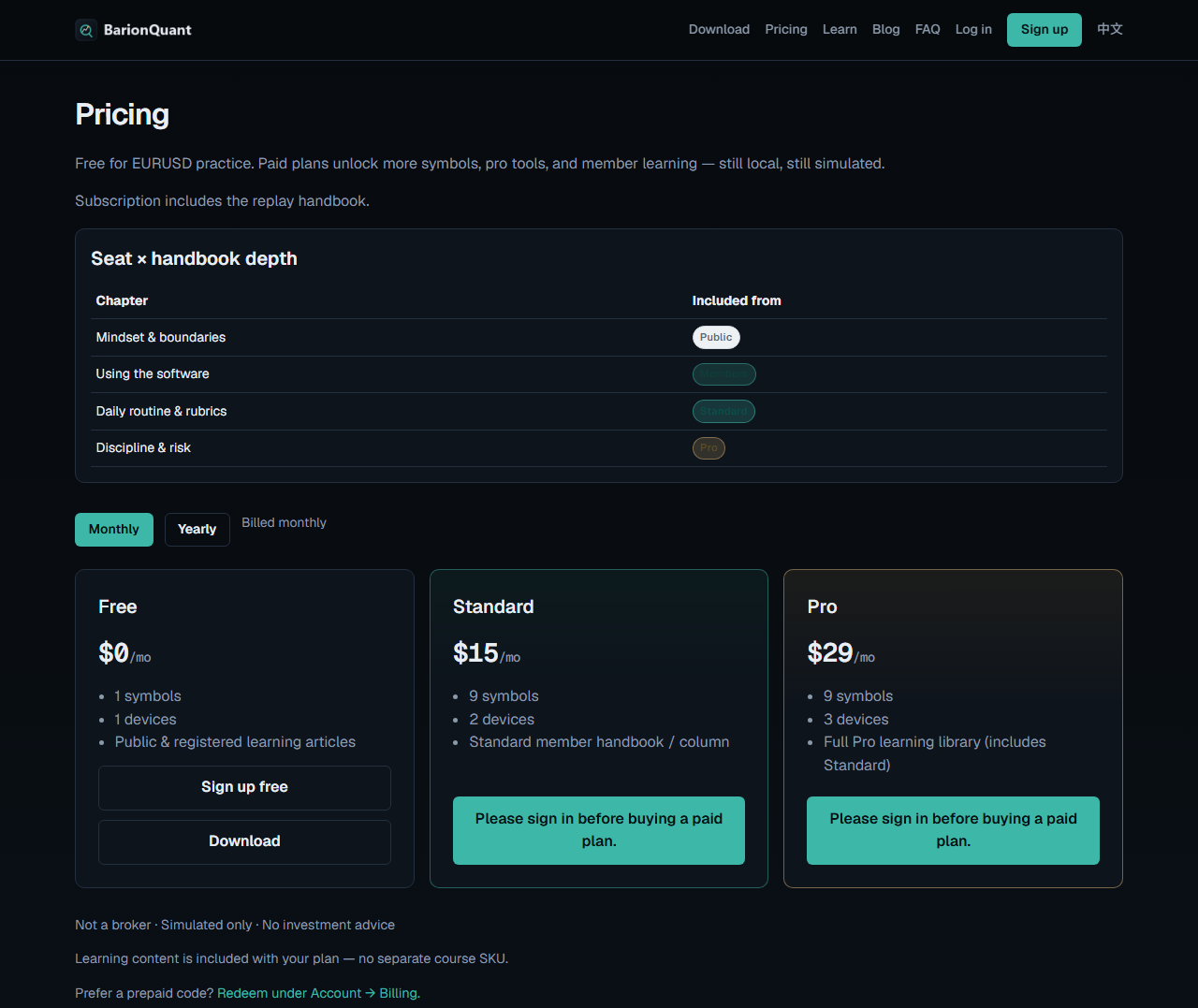
On 2026-10-06 the anonymous Pricing page showed Free $0/mo, Standard $15/mo, Pro $29/mo, with handbook depth called out on the same page. Yearly seats are $150/yr and $290/yr (Free stays $0) per the public freeze — switch the toggle on that page to see them.
Free covers EURUSD, XAUUSD, and Binance BTC/ETH latest-month samples with blind replay. Paid seats add full FX pairs, extended crypto history, intraday M5/M1 depth, devices, and handbook depth. Nobody asks for a broker deposit.
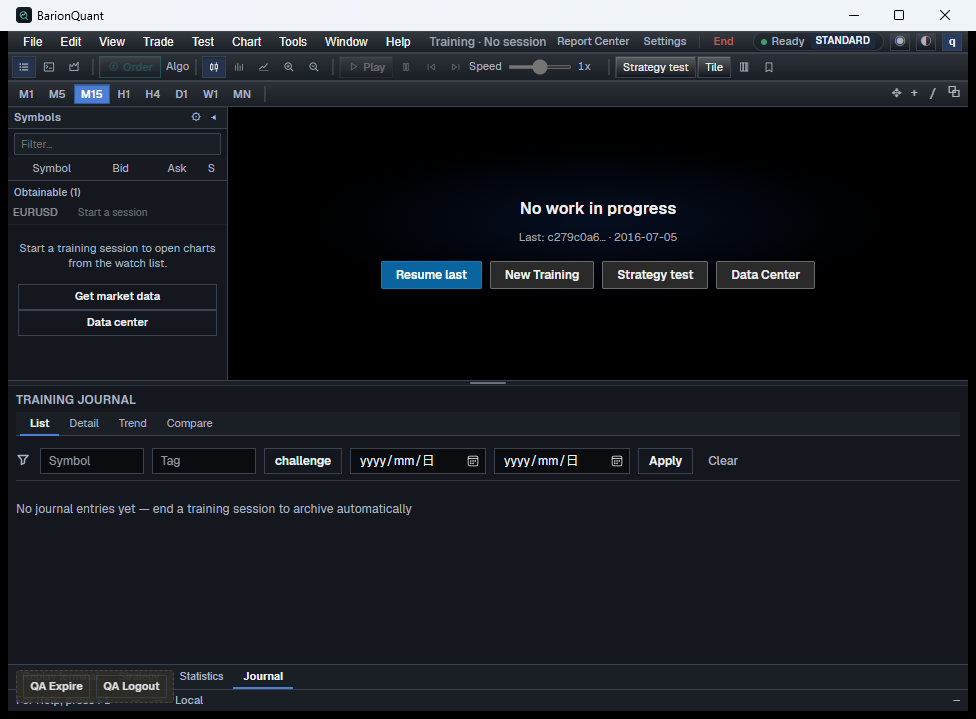
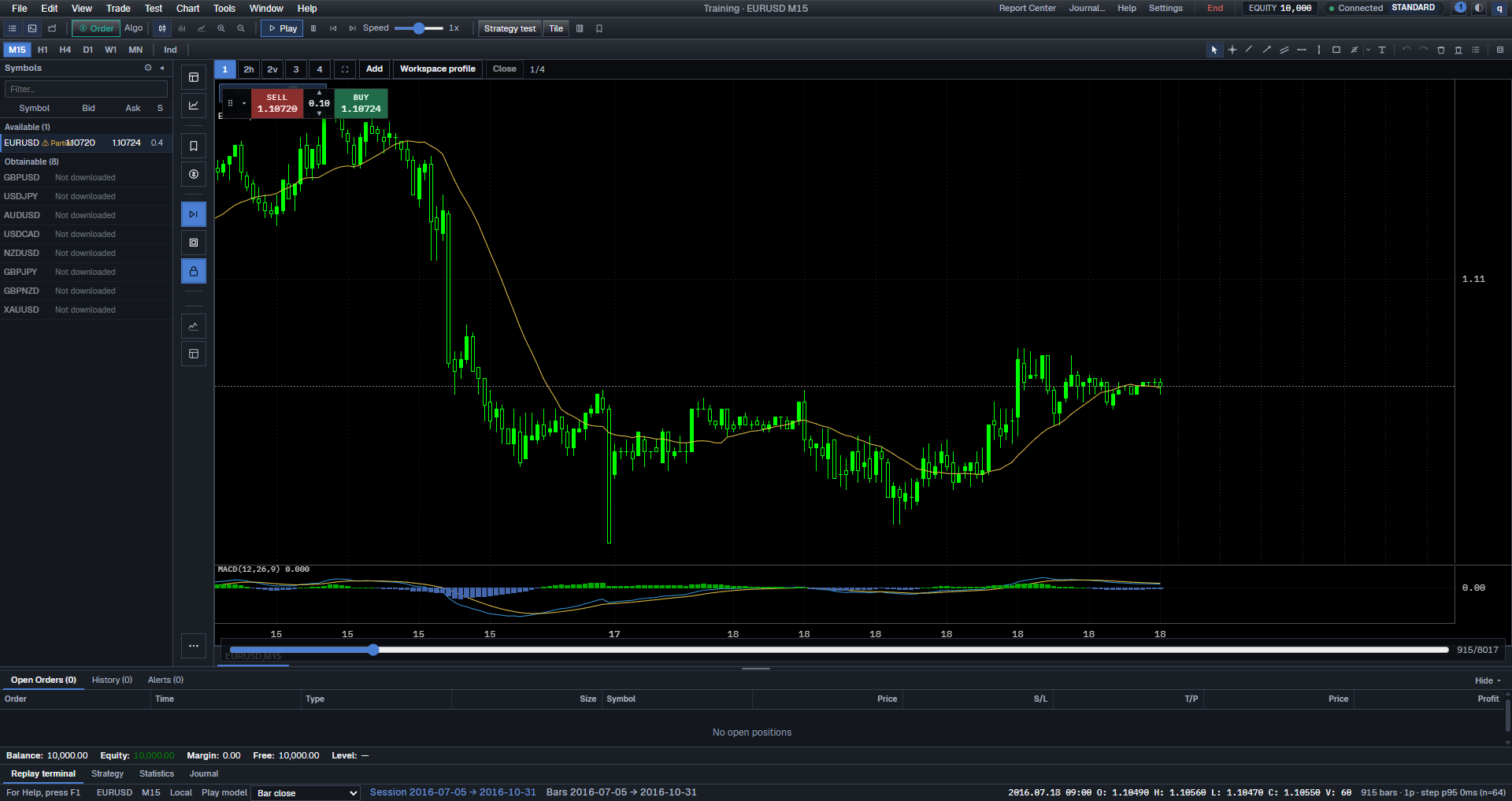
I can open BarionQuant as its own Windows window. The local QA capture is an empty desk: EURUSD on the watchlist, New Training, Data Center, and a QA expire/logout strip. That strip is dev chrome, not a store installer. A Lab capture from 2026-09-15 shows the same chrome with EURUSD M15 on the chart. Still not TradingView. Still not a broker ticket.
If you are leaving MetaTrader plugins instead of TradingView, read the sibling piece: Soft4FX alternative — leave the terminal or stay.
Legal boundary in one place: Not a broker: training-tool boundaries. Handbook there; fork here.
Honest comparison
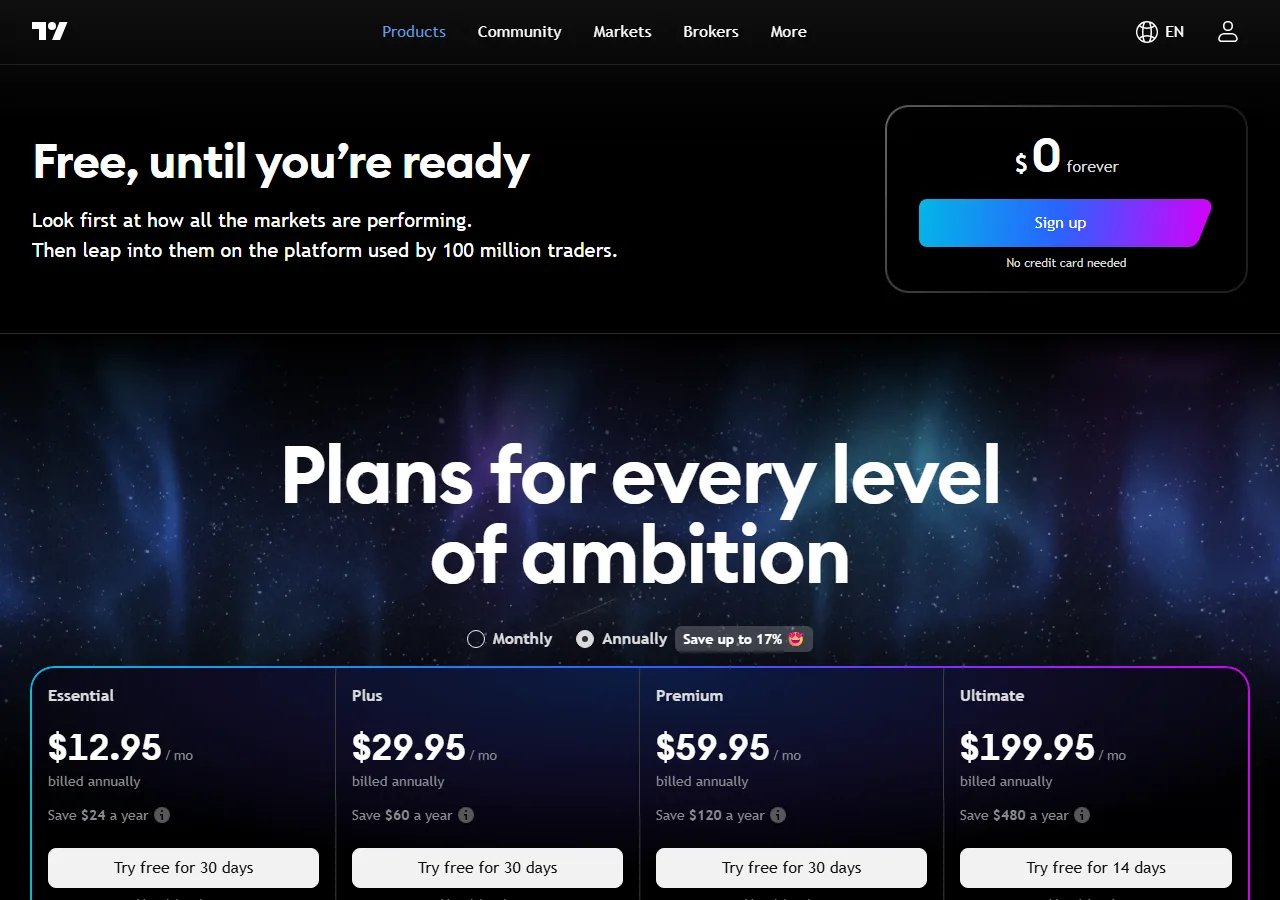
TradingView Bar Replay vs a standalone practice desk, as of public pages on 2026-10-06. TradingView prices below are the Annually display on tradingview.com/pricing (https://www.tradingview.com/pricing/) that day. Replay data depth cites their Support article, not a guessed checkbox on the marketing cards.
| TradingView Bar Replay | BarionQuant | |
|---|---|---|
| Form | Feature inside a charting SaaS (web / TV apps) | Standalone Windows desktop |
| Data | Platform history; minute replay depth by plan (Essential ≈ 6 mo @ 1m, Plus ≈ 1 yr @ 1m, deeper tiers above) | Local sessions; FX, Gold, and Binance crypto |
| Blind Mode | Manual start bar selection (inevitable peeking bias) | Native Blind Evaluation (random slice, symbols/dates masked) |
| Crypto Replay | On its chart; plan limits apply | Binance historical data on this PC |
| Account bind | TradingView login + subscription | BarionQuant login — not a broker terminal |
| Public price | Basic $0; Essential $12.95/mo · Plus $29.95 · Premium $59.95 · Ultimate $199.95 (annual billing display) | Free $0 · Std $15/mo or $150/yr · Pro $29/mo or $290/yr |
| Platform | Browser + TV clients; multi-asset | Windows only; no Mac; no browser replay |
| Broker? | Charting / replay platform (can connect brokers for live trade; Replay ≠ custody) | Not a broker; no deposits, no custody |
| Method / handbook | Help center + community | Seat includes the replay handbook |
| Where they win | The chart you already live in; Pine; multi-asset; Bar Replay on the layout | Zero-peeking blind replay; Free starter data; method on the seat; replay on this PC for up to 72 hours after sign-in |
TradingView, said plainly: if the chart is already your classroom, Bar Replay is the right practice tool. Do not uninstall it because a desktop vendor waved.
BarionQuant, said plainly: we win only if “practice is a local session plus a handbook, not another charting tier” is a requirement. We lose Mac, browser, Pine, and the all-market replay depth. Say that out loud before you download.
Who should skip
Skip BarionQuant — keep TradingView Bar Replay — if any of these are true:
- You need multi-asset layouts, Pine, community scripts, or phone charts as the practice surface.
- You are shopping for tick-level spread/slippage simulation or EA automation (look at dedicated backtesters, not us).
- You need Mac or a browser-only tool.
- You want “one app that is both my live charting home and my full market replay archive.”
Skip trading away from TradingView for slogans if Bar Replay already fits your plan and you are happy paying for the minute depth you use.
Screenshots
FAQ
Is BarionQuant a TradingView killer? No. Keep TradingView for charting if that is your home. We only argue about where practice sessions should live.
Does Free TradingView include deep intraday Bar Replay? Daily and higher history is broad; minute depth is plan-gated. Read TradingView’s Support article rather than a third-party “Pro+” rumor from an old review.
Can I use both? Yes. Many people chart on TradingView and rehearse rules on a local desk. That is a valid split — not a betrayal of either product.
Is saving the chart the same as saving the trades? No. Saving the chart is not saving the trades. Layout and drawings are one thing. Fills from that Bar Replay sitting are another.
Can I continue a sitting after it is done? Only an unfinished replay can be continued. A completed session is removed from their list. Export the list before you leave if you need a copy. Our report stays on this PC.
Do simulated orders go to a broker? Not from this desk. Orders here are not sent to a broker. On TradingView, Replay Trading is still not custody, and while Bar Replay is on their help says fills follow live data, not the replay tape.
Did you reverse-engineer TradingView’s feature matrix from the pricing cards? No. Prices are from the public pricing page on 2026-09-18. Replay data depth is from their Support docs. We did not claim a private install audit of every plan toggle.
Next step → Download
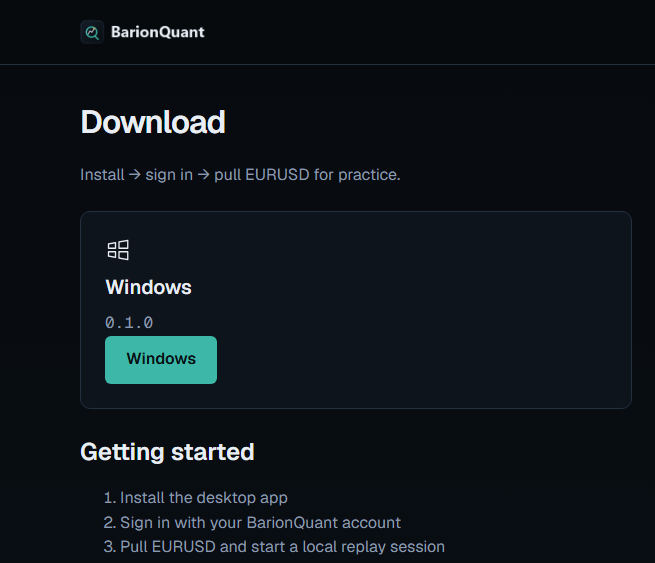
If the three questions pointed at a local desk and a handbook on the same seat, download the Windows build and start with Free EURUSD. For seat prices and handbook depth, open Pricing. For the legal line in one page, read Not a broker. The chart-or-desk table is the TradingView page. Their export is a table, not a replay sitting: TradingView export chart data is not a replay.
Educational content. BarionQuant is not a broker and does not provide investment advice or trade signals. Past practice results do not predict future outcomes. Competitor prices cited as of 2026-09-18 from public pages (tradingview.com/pricing and TradingView Support).