
Keep the chart you live in, or add a Windows practice seat
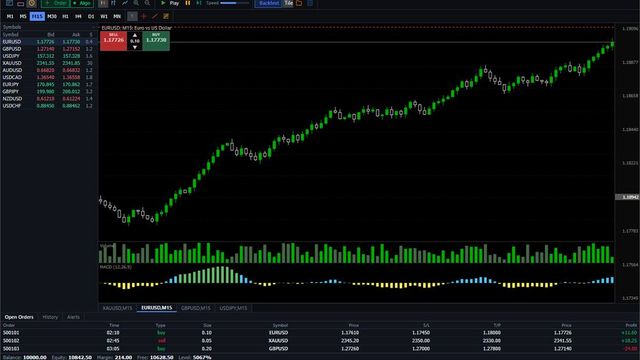
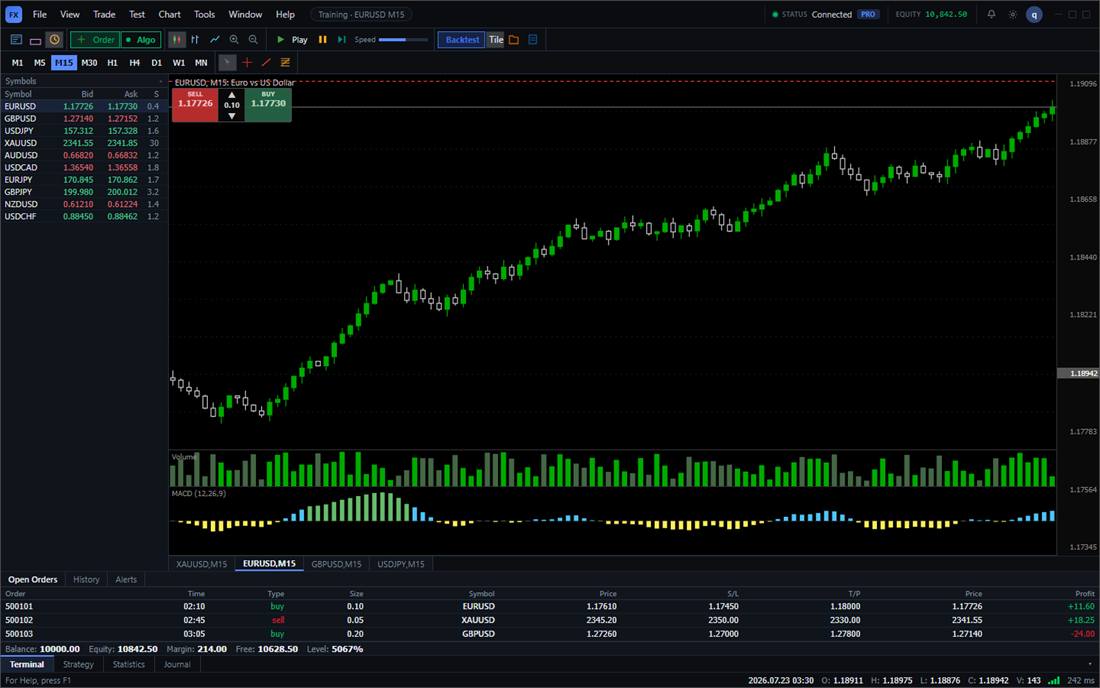
Finish the rule you already have, on a chart that does not show what comes next. The sitting can leave its HTML report on this PC, keep the note and the line when you open it again, and step a CSV you already have, without reading their blotter, without a second computer, and without a tick pack from us. End Training writes that HTML here, the bookmark holds the note and the horizontal line, and Data Center imports your OHLCV CSV, while Save Layout stores a layout, the note stays on this machine, and a TradingView replay file is not read. On installed 0.1.4 with the PRO badge, Data Center showed the imported EURUSD H1 file as 6,264 bars from 2025-01 to 2025-12 and a step changed Fri 00:00 O: 1.08741 to Fri 01:00 O: 1.08726; after End Training, Report Center listed Blind H1 archive beside the local HTML, and opening the sitting again showed "fabe-014 walk note" and "1. Horizontal line".
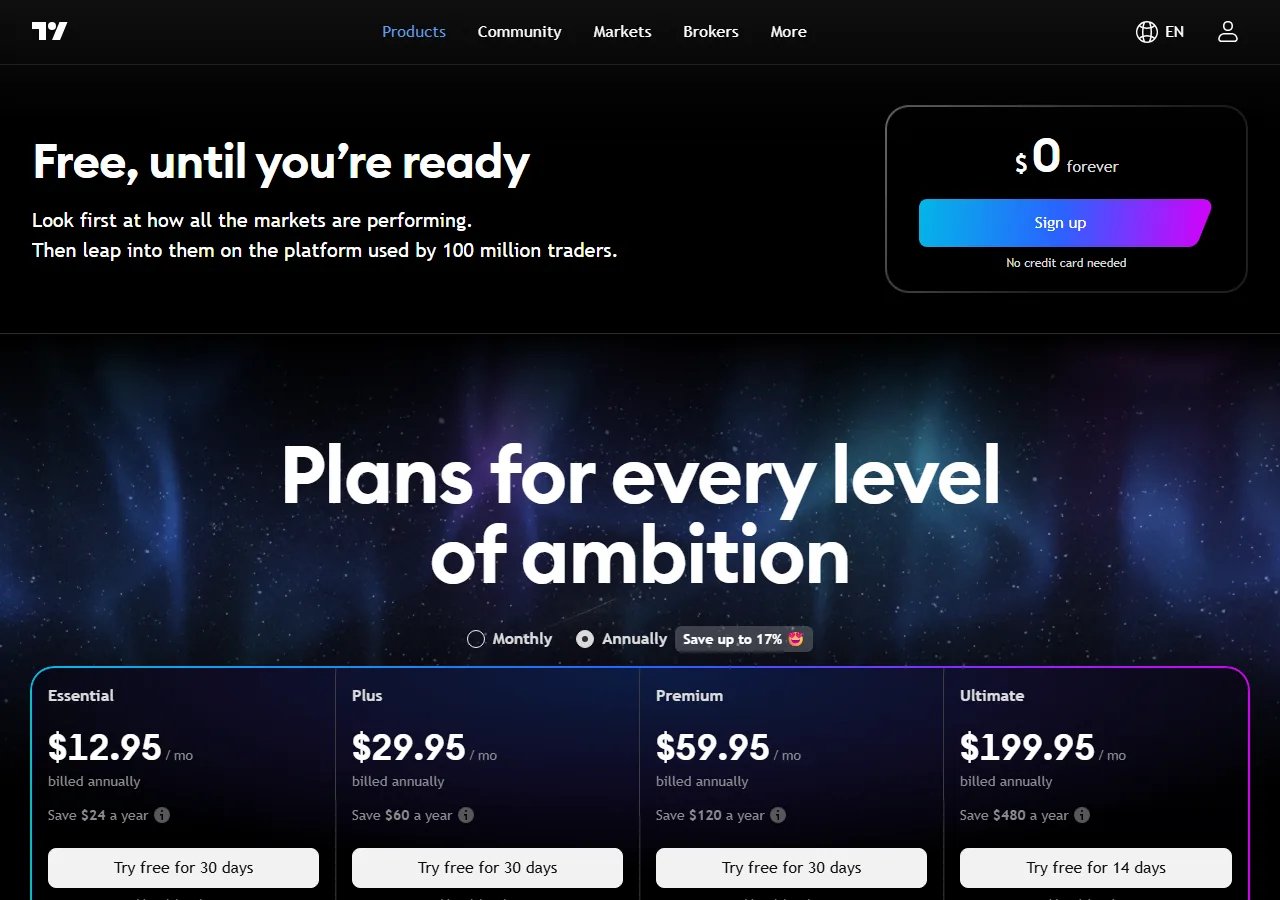
TradingView bar replay is not missing from the free chart. On the public pricing table, checked 2026-09-23, historical data by the day and higher is available on every plan, including Basic. The limit that costs money is intraday. That same table shows minute history of 180 days on Essential, 365 days on Plus, and the stored minute history on Premium and Ultimate. Their help center page "How much data is available for Bar Replay?" describes the same split: deeper intraday replay is a paid plan, and it depends on the symbol.
If that chart is where you already read the market, you do not need a replacement for it. You need a reason to add something else.
What the paid line is buying
The filed pricing capture, annual billing shown as a per-month figure, lists Essential at $12.95, Plus at $29.95, Premium at $59.95, and Ultimate at $199.95. The page marks these as billed annually and shows a monthly toggle with a smaller discount. Rechecking the live pricing page on 2026-09-23 still showed promotional monthly figures at $29.95 and $59.95 for the mid tiers. Those dollars move. The structure does not: a free chart with daily replay, then a paid plan when you want minute-and-lower depth, alerts, and the rest of the workspace. Replay runs in their cloud. Close the laptop's network and the chart stops.
We are not that workspace. No Pine scripts, no phone app, no browser replay. The public build is Windows only. There is no Mac download. However, unlike TradingView where crypto is tied to cloud subscriptions, BarionQuant supports native offline Binance perpetuals (BTC, ETH, SOL) replay directly inside Data Center.
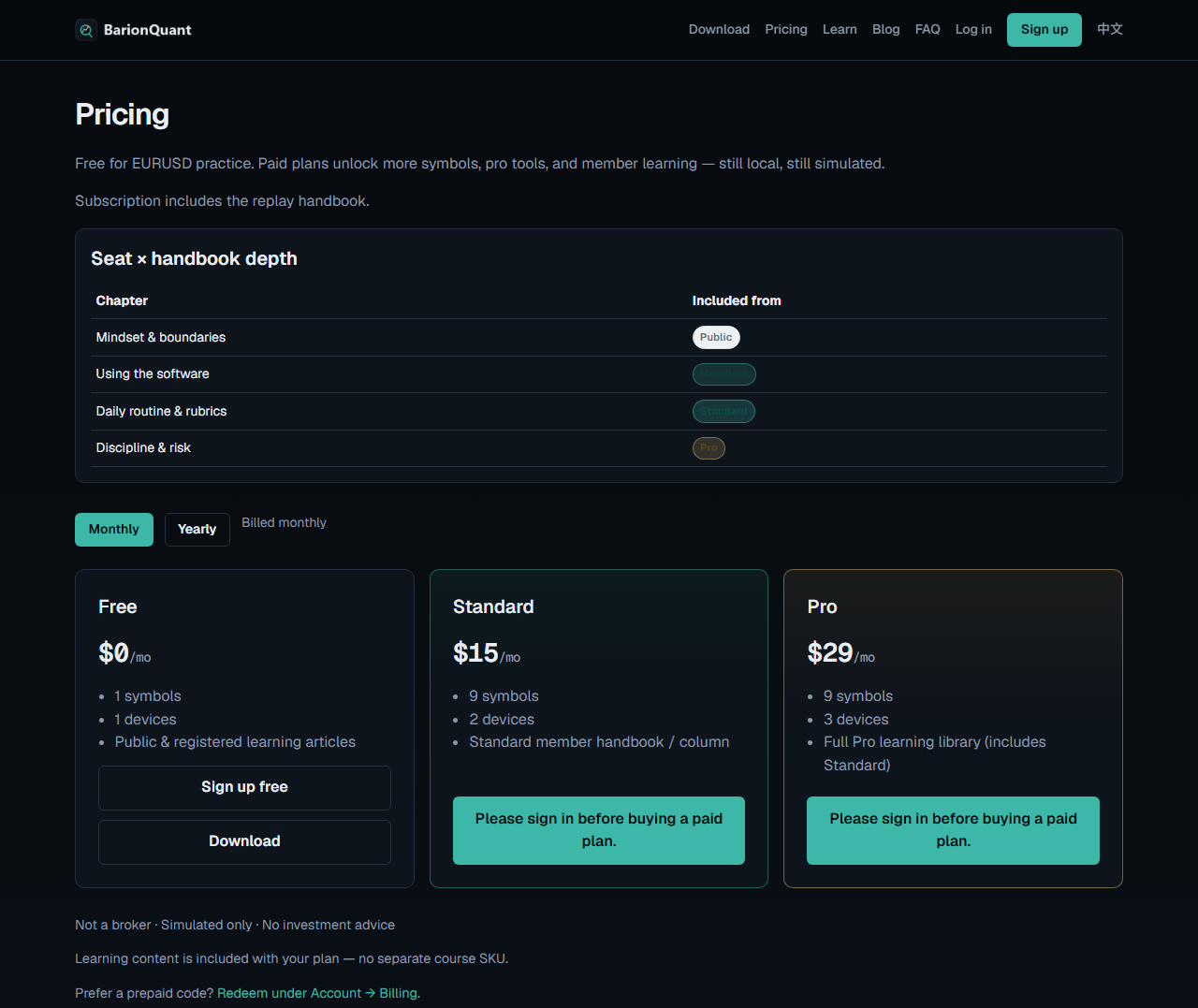
What we sell is a practice seat on that Windows machine: Free $0 for EURUSD, Standard $15/mo or $150/yr, Pro $29/mo or $290/yr, handbook included with the seat. No 20-year official tick pack. The buy and sell controls in the training window are simulated. Nothing is routed to a broker.
Bar Replay starts on a candle you already saw
The fundamental flaw in TradingView Bar Replay is hindsight peeking: to start replay, you must open a visible chart and click the exact candle where replay begins. Your eyes and brain have already seen the subsequent highs, lows, and breakouts.
Crypto Replay: Offline Binance Contract History
TradingView requires a continuous, high-speed internet connection to stream cryptocurrency data. In volatile market periods, browser tabs often stutter or disconnect. BarionQuant enables 1-click downloads of Binance USDT perpetual contracts (BTC, ETH, SOL) directly into local storage, providing 100% offline, smooth chart replay on your local desk.
When the chart is enough
Stay on TradingView if you want one login for charts, alerts, and replay, including the daily replay you already have for free. Pay them when the minute depth is the point. Their charting is the strength. This page does not argue with it.
Add a desk only when you want practice that is not the same tab as the live chart: a local EURUSD session, a written method in the seat, and a tool that is not a broker. That is a second subscription, not a refund on the first.
Skip us when
Skip us for Mac, for a browser, for their symbol list, or for Bar Replay inside the chart you already pay for. The short boundary of this product is on the risk page at /en/legal/risk.
If the second tool is the one you want, download Windows and run the free EURUSD session before you pay for a wider seat.