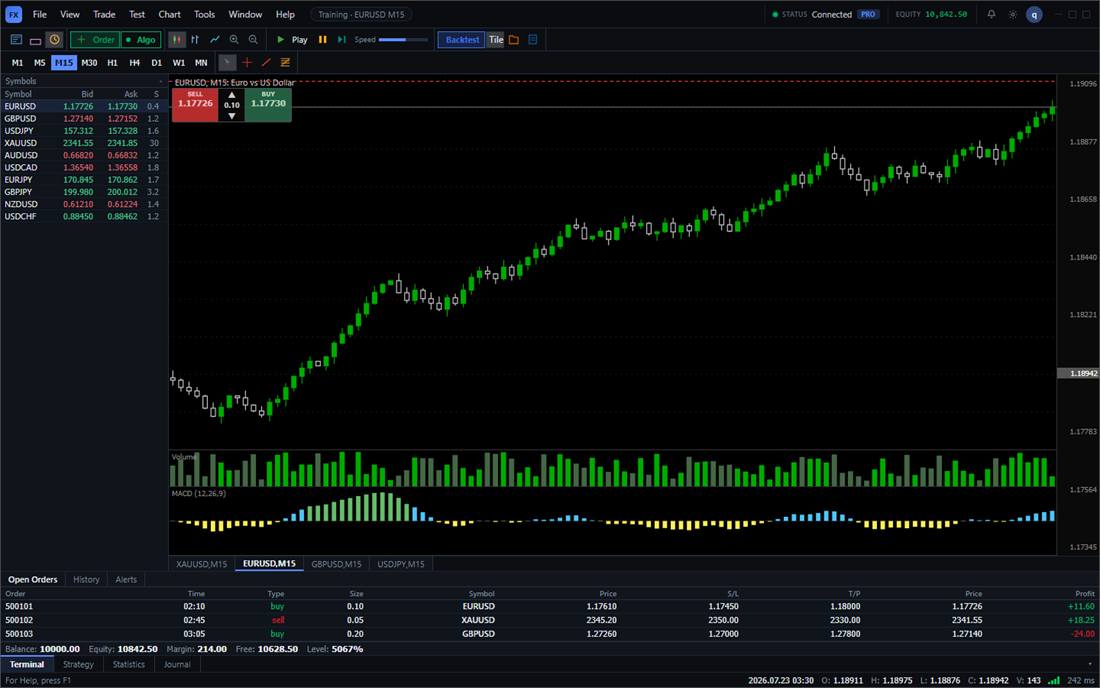
 Multi-Timeframe Lockstep
Multi-Timeframe Native Rehearsal Desk
M1, M5, and H1 on this desk step forward on one clock.

A selection matrix for people choosing a practice tool. Prices are public list prices. We lose cells on purpose: no Mac build, no 20-year official tick pack, no browser replay.
| Dimension / Capability | BarionQuant DesktopRecommended | Soft4FX Simulator | Forex Tester | TradingView Bar Replay |
|---|---|---|---|---|
| Execution Architecture | Native Desktop (Rust + React) | MT4 / MT5 EA Plugin | Standalone desktop tester | Browser Web App |
| Market Data Sovereignty | 100% Local on your machine | Requires broker MT terminal | Local data, tiered paid feeds | Cloud-hosted closed feed |
| Multi-chart Time Sync | Native multi-chart, unified clock | Script-based multi-window | Supported | Bar Replay in the browser |
| History you can rehearse | Local replay. No 20-year official tick pack | Tick history included in the $109 license | Tick depth is a separate Super Data plan | Daily replay on free; intraday depth is paid |
| Broker Ties | Not a broker; 100% practice desk | Tied to MT broker installation | Standalone | Broker integration focused |
| Offline Practice | Offline on the Windows build | Requires MT offline setup | Offline supported | No (Requires active internet) |
| Pricing Model | Transparent annual plan / Free tier | $109 one-time MT license | Tiered licenses + monthly data fees | Monthly recurring subscription |
| Blind session | Random 90–180 days. Name and calendar stay hidden. Prices stay visible. | You pick the start day yourself | Hides symbol and dates; price levels scrambled | Random bar picks the start; symbol stays visible |
| Crypto & Multi-Asset Support | Binance BTC, ETH, SOL perpetuals on the PC. One-minute history is Pro. | Forex/CFD only (Tied to broker MT symbols; no native Binance) | Crypto history is a separate data purchase on their store | Extensive cloud crypto feeds (requires online subscription) |
Six practice situations: weekend offline, the bid/ask in an imported file, one clock, a discipline card before the order, a blind session that hides the name and the calendar, and Binance bars on this PC.
Practice stays on this machine. The desktop build does not send live orders.
Must launch broker MT terminal, configure offline mode charts, and re-import ticks whenever MT profile or server connection resets.
Desktop program with offline capability, but proprietary data format locks your exported sessions to their ecosystem.
Requires active internet at all times. Bar Replay cuts off during network drops; cannot practice offline on flights or trains.
Click any preview to inspect the full workspace, verified time synchronization, pre-trade discipline checklist, and performance attribution.
Multi-Timeframe LockstepM1, M5, and H1 on this desk step forward on one clock.
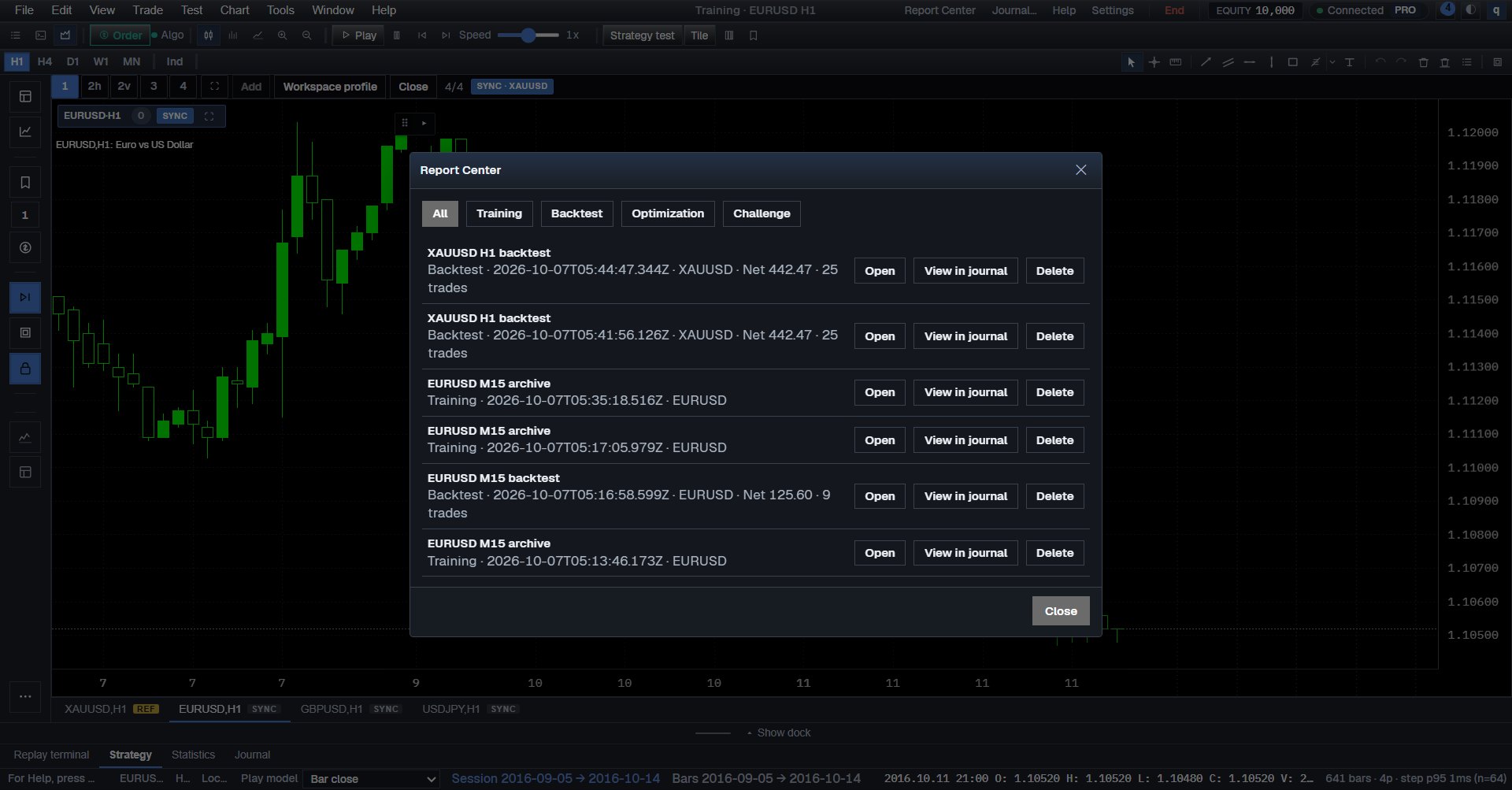 Institutional Rubric
Moves past basic win-rate vanity metrics. Audits rule violations, mental stop adherence, and drawdown expectancy.
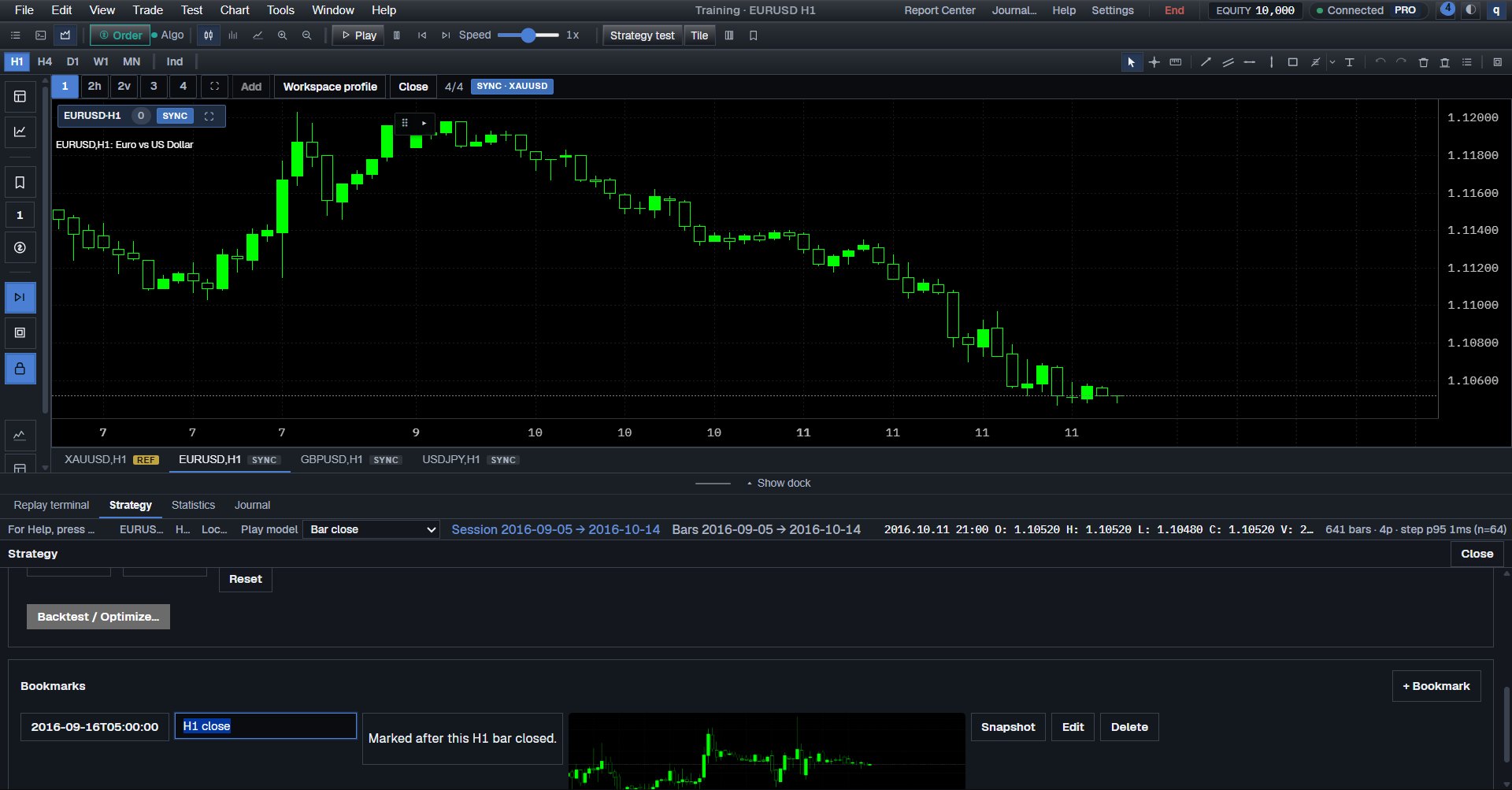 Execution Checklist
Forces you to check your criteria before placing orders, transforming rapid sandbox clicking into institutional execution.
Soft4FX stays inside MetaTrader: $109 lifetime, two accounts, Windows. This note is the stay-or-leave decision.
A one-time desktop license plus a separate data plan, set next to a Windows training seat. The page lists the cells we lose.
Daily replay is on the free chart. Intraday depth is a paid plan. This note says when that is enough.
Rehearse entries, stop loss execution, and multi-timeframe chart replay on your local machine without risking real capital.