
Put MA and RSI on the chart
Add one line on the candles and one pane under them. Then leave the dialog alone.
Why this matters
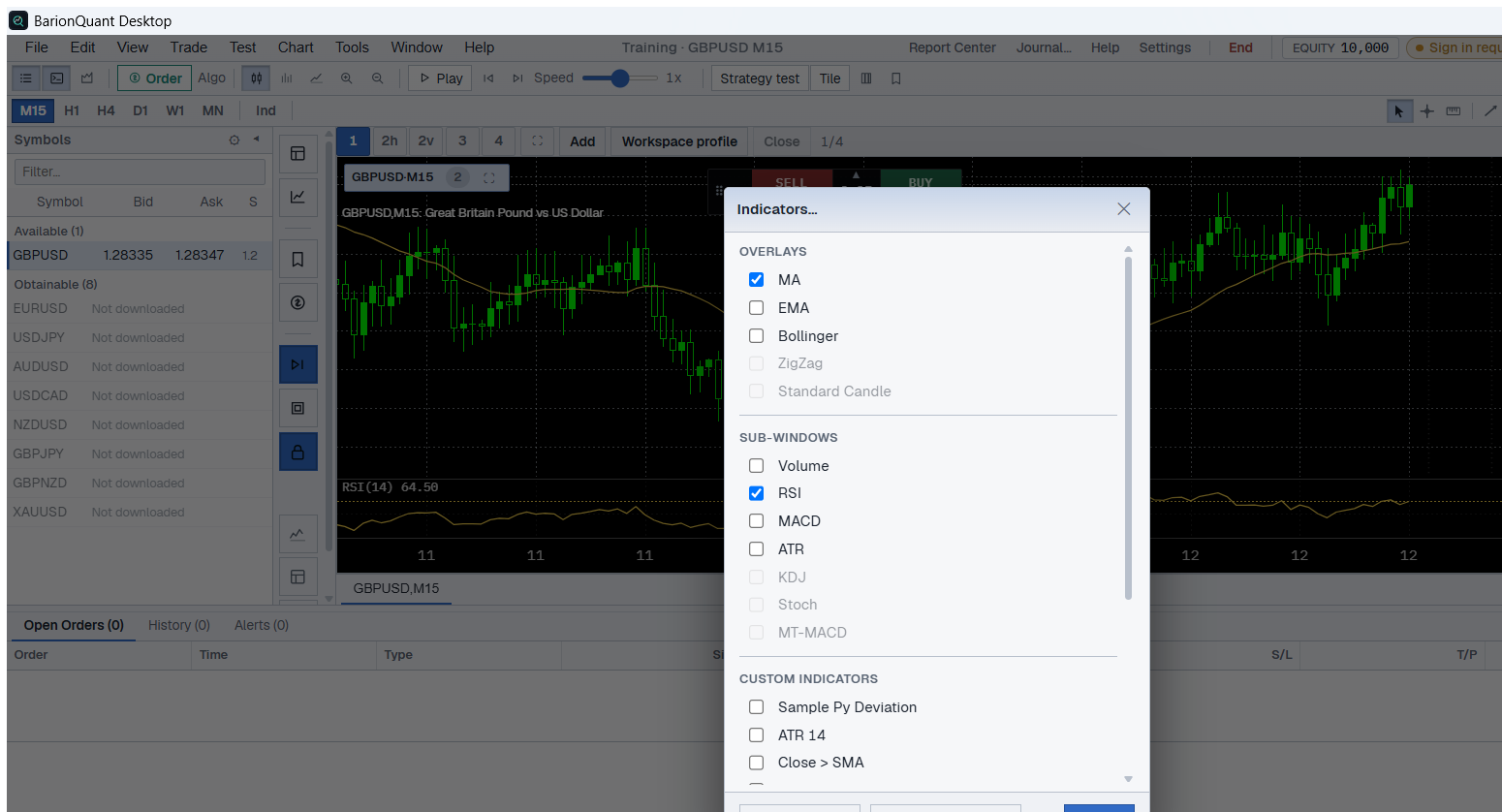
A bare chart is enough to press Play. MA and RSI are the two indicators a Free seat can actually turn on. The list also shows MACD, EMA, Bollinger, and others. On Free those rows are disabled. The tooltip on a locked row is Upgrade to unlock MACD. (the name in the sentence changes with the row).
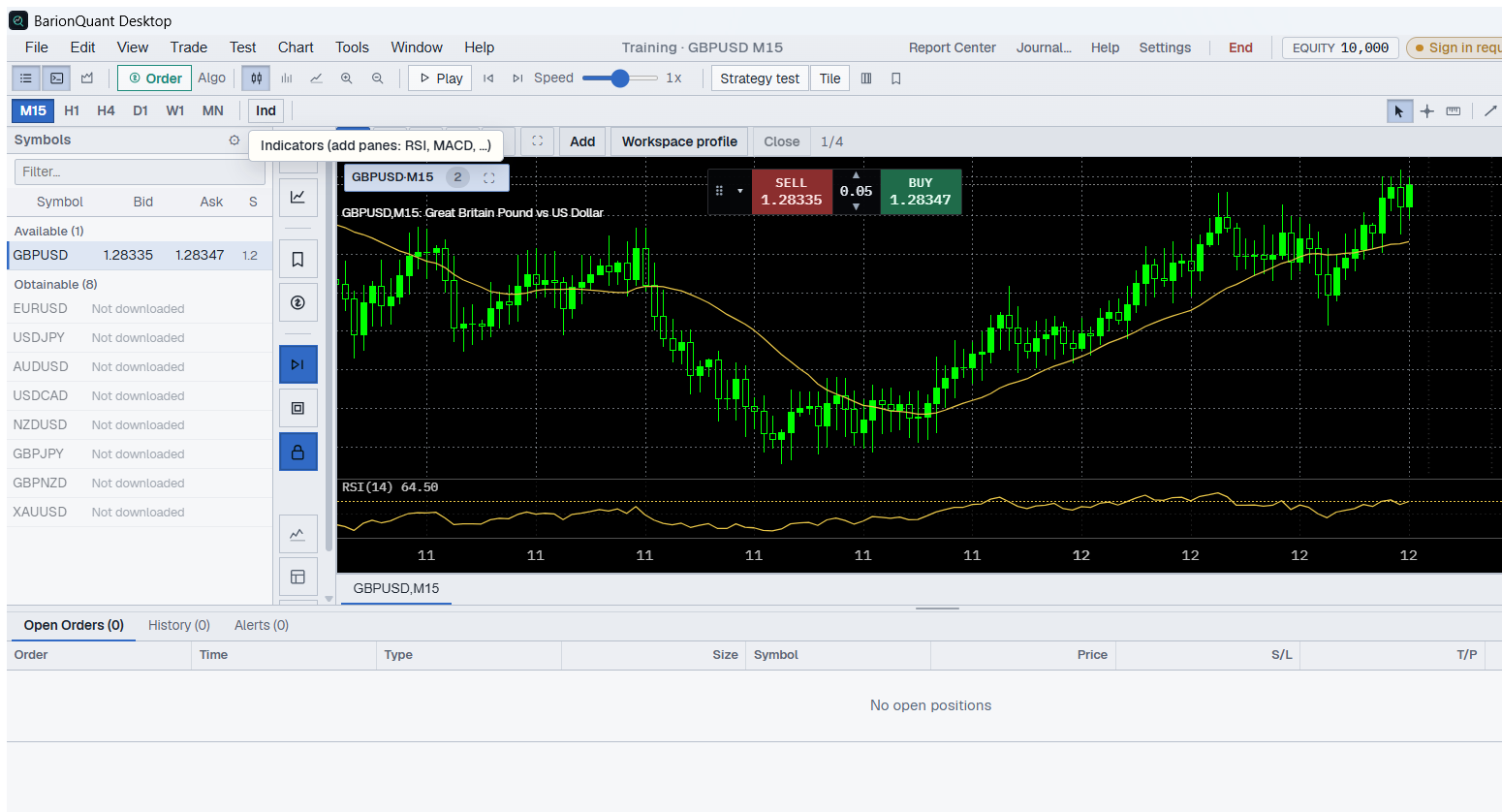
The Ind button tooltip says Indicators (add panes: RSI, MACD, …). That sentence is the button hint. It does not mean a Free seat can check MACD. The checkbox in Indicators… is the rule.
These two lines do not say when to buy or sell. They are a ruler you can see while the next bars stay hidden.
Steps / Checklist
Do this only after one series is in Library and a Training chart is open. If the workspace says Start a training session to open charts from the watch list, start Training first. There is no chart to attach an indicator to.
- Chart → Indicators…. The same dialog opens from the Ind button. The title is Indicators….
- Under Overlays, check MA. Leave EMA, Bollinger, ZigZag, and Standard Candle off.
- Under Sub-windows, check RSI. Leave Volume, MACD, ATR, KDJ, Stoch, and MT-MACD off.
- If you want the shipped defaults, do not open Parameters…. MA starts at Period 20. RSI starts at Period 14. If you do open it, change one number, then close it. Do not retune both in the same sitting.
- Close.
- Read the chart. The candles carry one MA line. A pane under the candles is labeled RSI (14) plus the latest value. If a MACD pane is still there, open Indicators… again and clear MACD.
- Stop. Do not also change Period (M15, H1, D1) in this sitting. Do not open Strategy Tester. Do not open Manage custom…. Custom formulas are a later lesson, and Free shows Upgrade to create custom indicators.
A Free seat that follows this list has MA and RSI only. MACD stays in Sub-windows so you can see the name. The row does not turn on.
Screenshots
Both figures are the same Training session: GBPUSD, M15, captured on BarionQuant Desktop on 2026-10-12. The order buttons in the chrome are training tickets. They do not send a live order.
Common mistakes
- Treating the Ind tooltip as permission to turn MACD on.
- Checking MA, RSI, and MACD together and then deciding the chart “looks right.”
- Changing the period and the indicator in one sitting, then not knowing which change you were practicing.
- Reading RSI(14) 64.58, or any other number on the pane, as an instruction to buy.
Where this sits
The previous page in the lab guide is Import one practice session. This page does not start a new download.
Educational training content only. BarionQuant is not a broker and does not provide investment advice. Past practice results do not predict future outcomes.