
Stay inside MetaTrader, or practice on a separate Windows desk
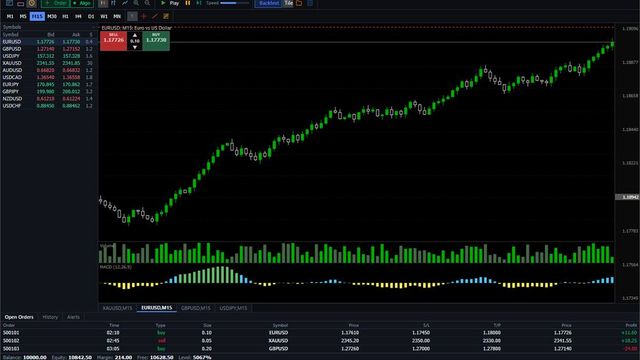
Finish the rule you already have, on a chart that does not show what comes next. The sitting can leave its HTML report on this PC, keep the note and the line when you open it again, and step a CSV you already have, without reading their blotter, without a second computer, and without a tick pack from us. End Training writes that HTML here, the bookmark holds the note and the horizontal line, and Data Center imports your OHLCV CSV, while Save Layout stores a layout, the note stays on this machine, and a TradingView replay file is not read. On installed 0.1.4 with the PRO badge, Data Center showed the imported EURUSD H1 file as 6,264 bars from 2025-01 to 2025-12 and a step changed Fri 00:00 O: 1.08741 to Fri 01:00 O: 1.08726; after End Training, Report Center listed Blind H1 archive beside the local HTML, and opening the sitting again showed "fabe-014 walk note" and "1. Horizontal line".
A soft4fx alternative is the wrong search if what you want is a better plugin. Soft4FX is the plugin. It runs inside MetaTrader 4 and 5, on Windows, and the license is tied to the account number, not to the PC.
The useful question is where the chart should live.
Three checks before you switch
1. If your templates, indicators, and order habits already live in MetaTrader, stay. That is the thing Soft4FX is good at, and we do not copy it. 2. If you want one payment and their tick history in that same terminal, their license is built for that. Ours is a seat, billed while you keep it. 3. If you want practice that does not require a broker terminal, that is the only job of this desk. It is not a broker, and it does not place live orders.
What the public prices say
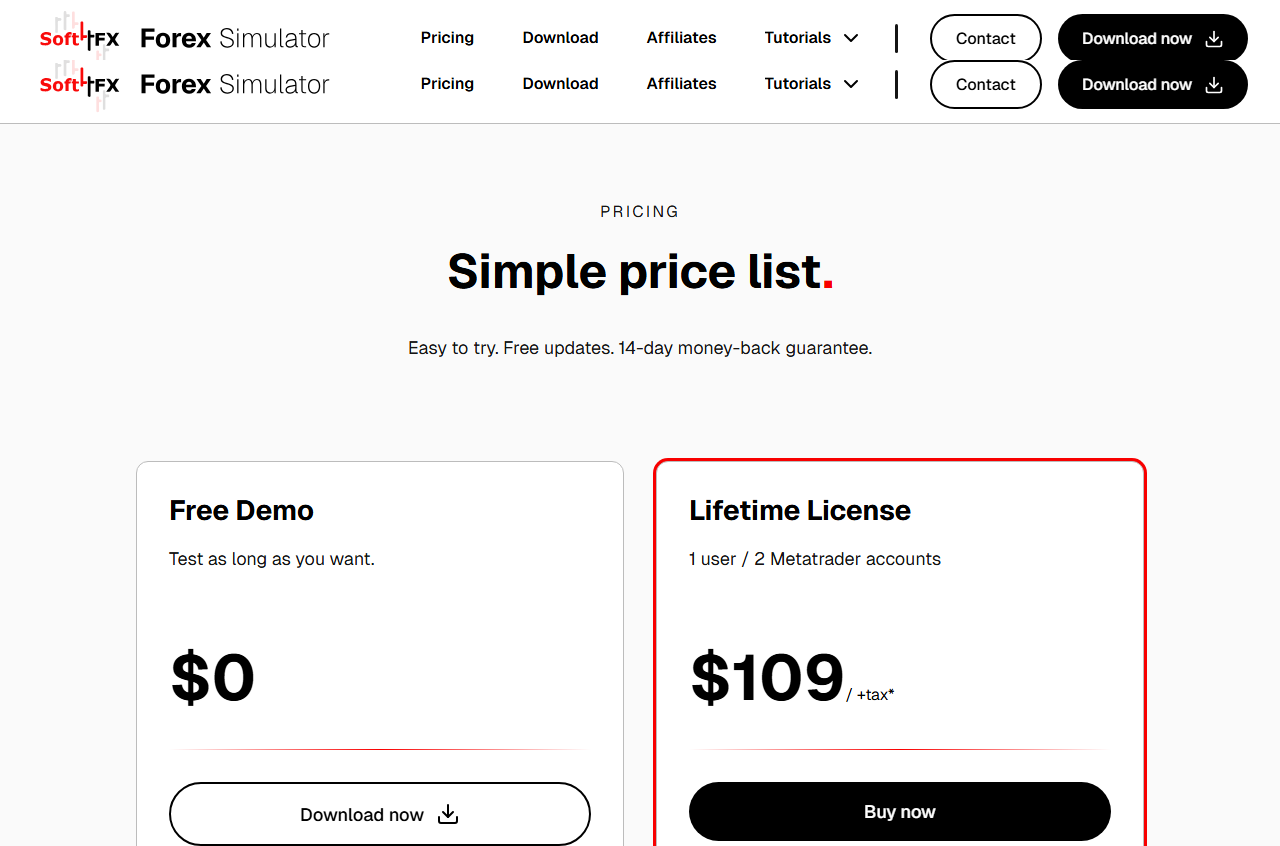
Checked on the Soft4FX pricing page on 2026-09-23. The free demo is $0, with all features, unlimited time, and two hard limits: 5 trades per simulation and 2 sample years, and no save or load. The lifetime license is $109 plus tax, for 1 user and at most 2 MetaTrader accounts at the same time, MT4 and MT5 included, one payment, updates included, and their tick history included (they state 10–20 years). Refunds are 14 days. It does not run on Mac except inside a virtual machine. It is not bound to the hardware.
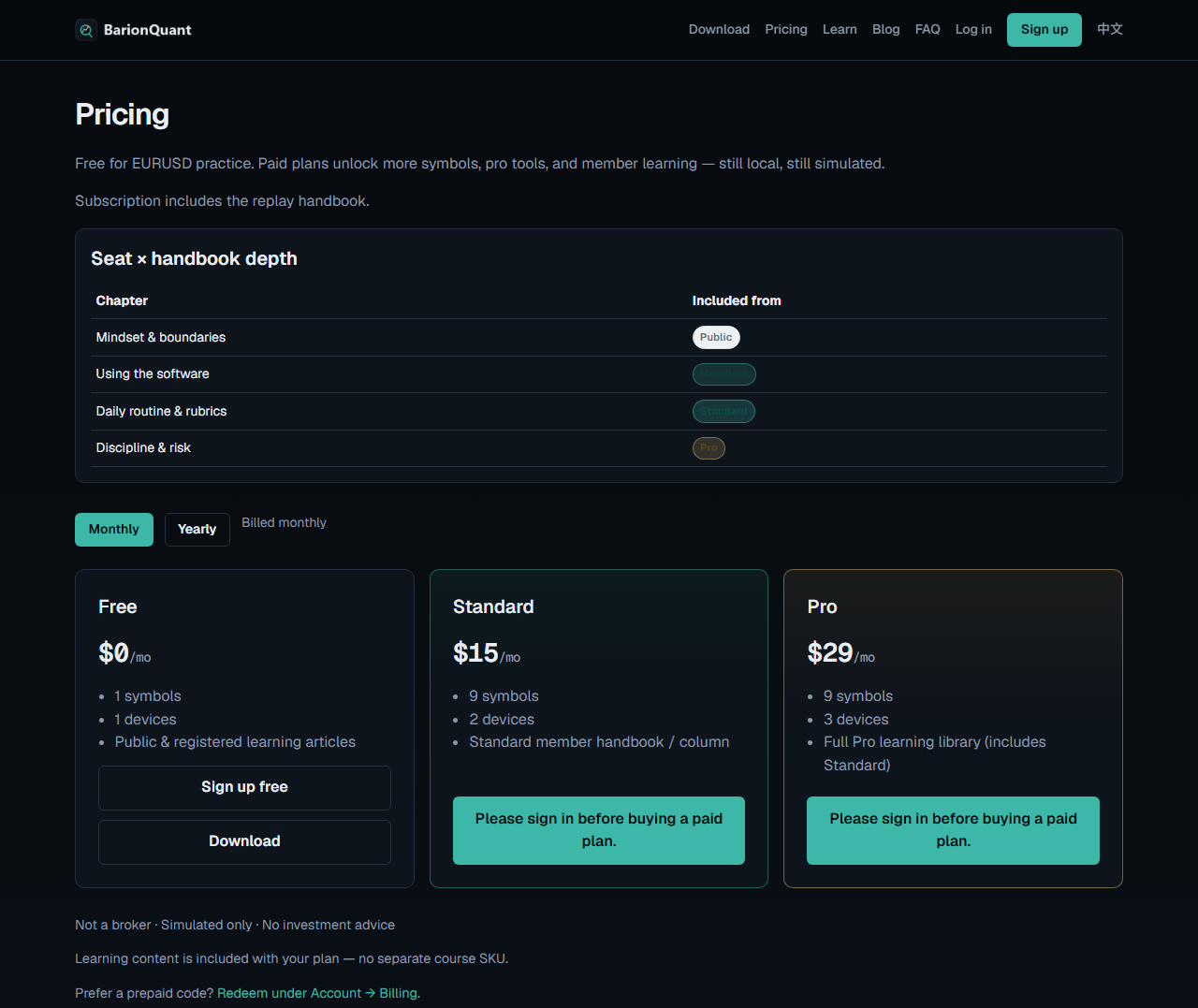
BarionQuant, from the price list frozen on 2026-09-14: Free $0, Standard $15/mo or $150/yr, Pro $29/mo or $290/yr. Free practice is EURUSD. The handbook comes with the seat. There is no separate course SKU. The current public build is Windows only.
We lose these cells on purpose: no Mac build, no 20-year official tick pack, no replay in the browser, no MetaTrader indicators. Where we win is a desk that is not inside MetaTrader, plus 1-click Binance crypto downloads without running that terminal.
Why Discretionary Traders Need Multi-Asset Replay (Forex vs Crypto)
Soft4FX is architecturally constrained by MetaTrader 4 and 5. It can only replay symbols that your connected broker terminal supports in its market watch. For traders who practice modern cross-asset strategies—such as testing liquidity sweeps across Forex and crypto—Soft4FX cannot natively ingest Binance 1-minute historical perpetual contracts.
BarionQuant is multi-asset native: - Major FX & Gold: 9 pairs including EURUSD, GBPUSD, and XAUUSD with clean 1-year benchmark packs. - Crypto Perpetuals: Direct 1-click downloads for Binance BTCUSDT, ETHUSDT, and SOLUSDT, all running on the same local charting engine. - No Broker Installation: Never install a MetaTrader terminal or open a demo broker account just to practice.
What you get if you leave
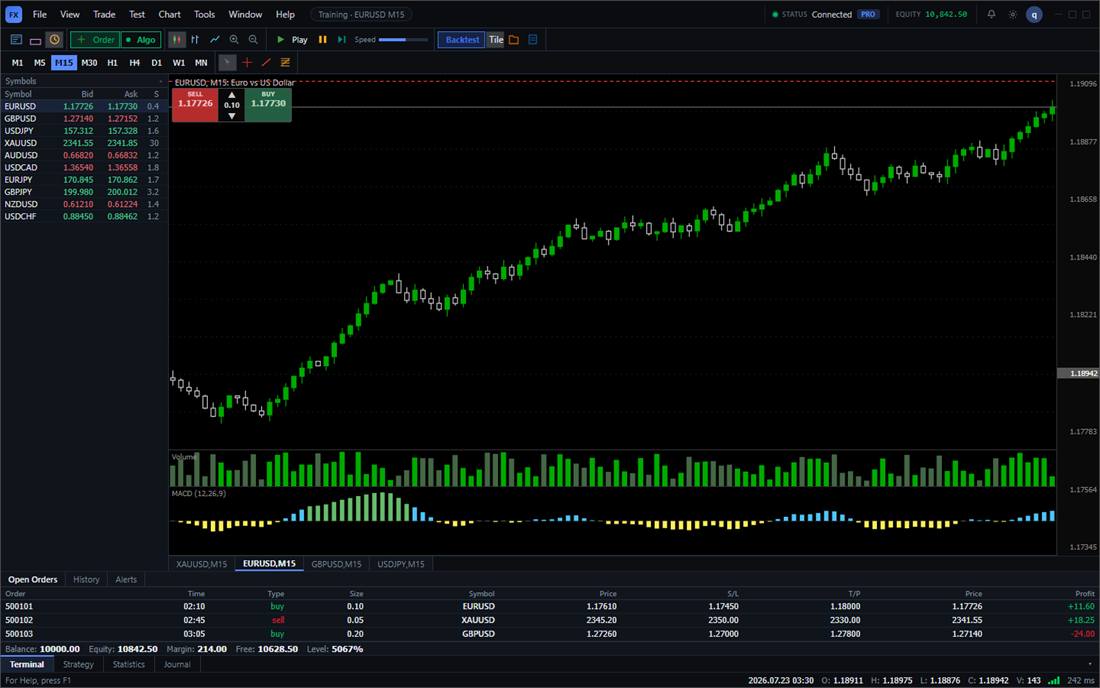
You get a Windows training window and a seat. The screenshot below is that window on EURUSD M15. The buy and sell controls on it are simulated practice tickets. They are not an order sent to a broker.
Who should skip this page
Stay on Soft4FX if you need the MetaTrader chart, their included tick archive, or a single lifetime payment. Skip us if you need Mac, a browser, or a 20-year official tick pack. The boundary — what this desk will not do — is on the risk page at /en/legal/risk.
If the three checks above point at a separate desk, the next step is the Windows download, then a Free EURUSD session. Pricing is the other link, for when you want more than one symbol.