
Export MetaTrader history and replay the CSV
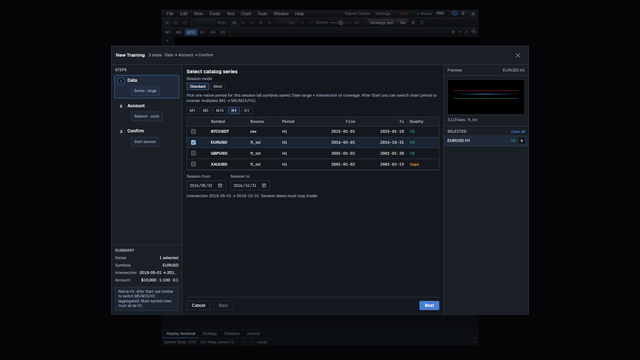
The series row is the proof. Not a cloud replay.
Direct answer
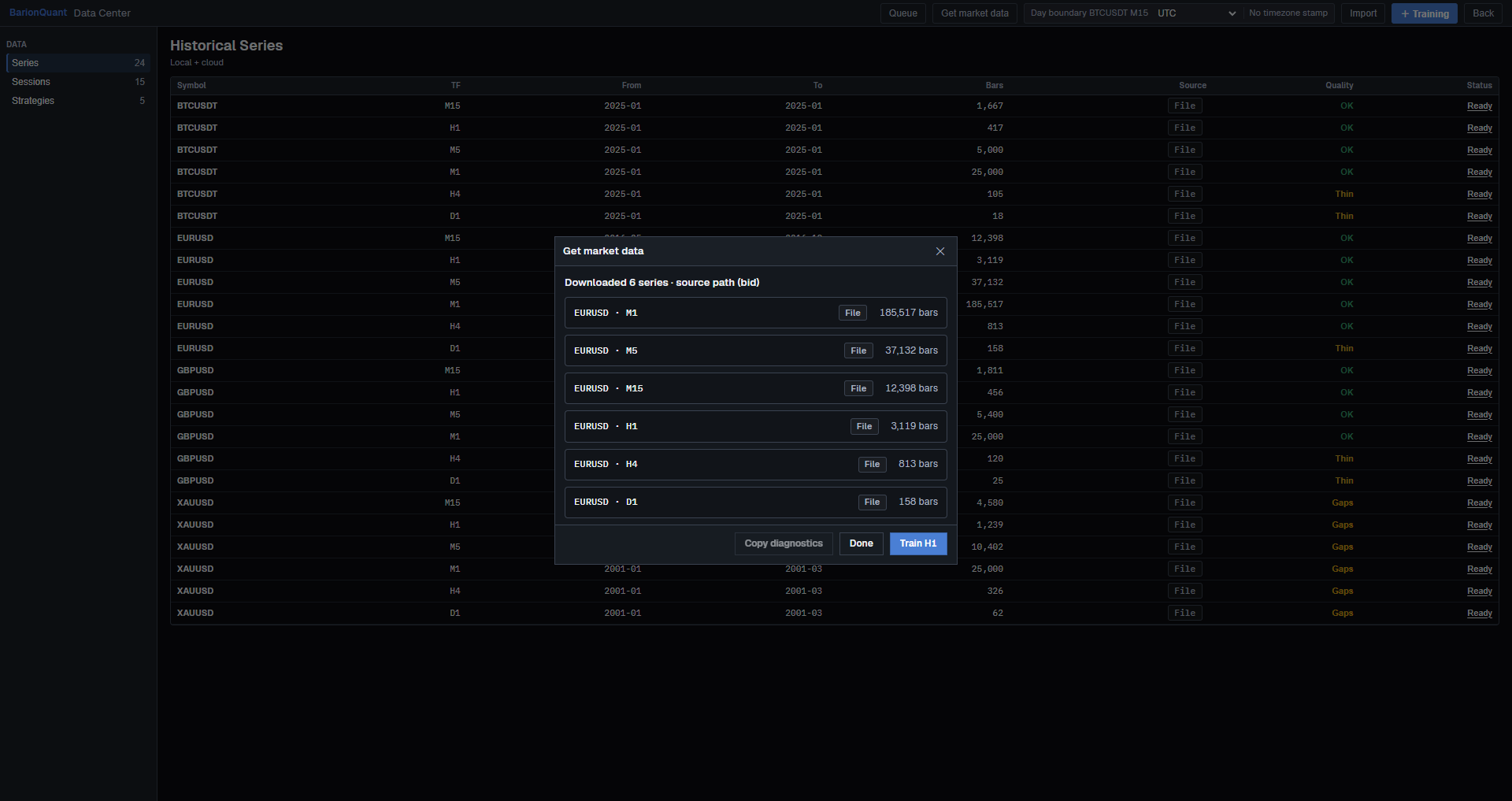
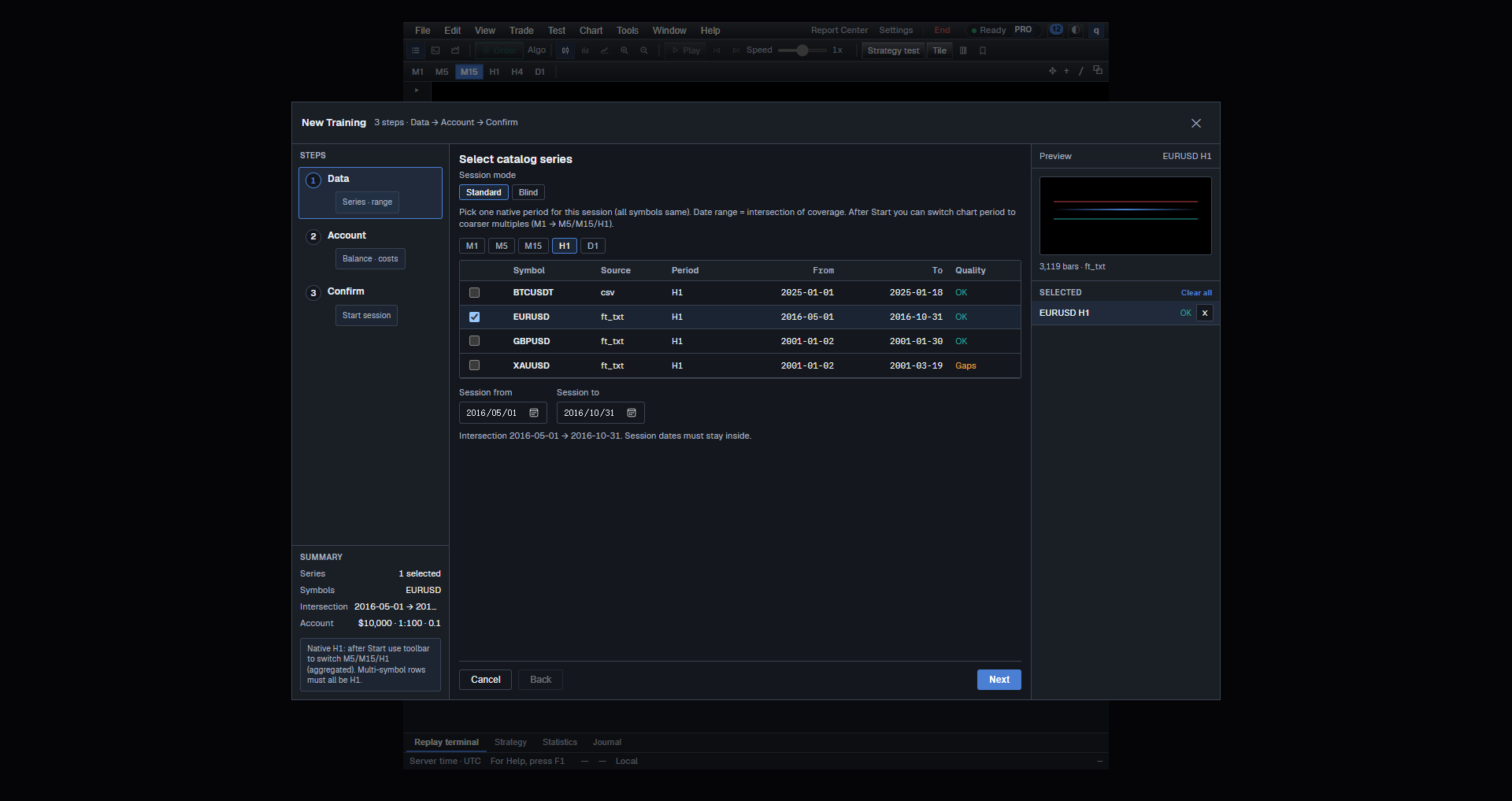
Export MetaTrader history and replay the CSV on this desk means: a history file lands in Data Center, then Training opens that series. On 2026-11-01 this PC imported a local EURUSD text (<TICKER>,<DTYYYYMMDD>,<TIME>). Get market data reported Downloaded 6 series · source path (bid) and EURUSD · M1 File 185,517 bars. New Training listed EURUSD, source ft_txt, period H1, 2016-05-01 → 2016-10-31, 3,119 bars · ft_txt. Then Train H1 / Start.
This sitting did not click MetaTrader’s export button. That button is not on this PC. The file was already on disk.
BarionQuant is a Windows practice desk. It is not a broker.
How to judge
Three checks, in this order.
1. Does Data Center show File / ft_txt?
After import, the report listed M1 through D1 as File. The wizard table said source ft_txt.
2. Do the dates match the file?
This tape ended 2016-10-31. The wizard intersection was 2016-05-01 → 2016-10-31. There is no 2020-03 on this disk.
3. Did Training open that series?
Status after Start: Training - EURUSD H1, Session 2016-05-01 → 2016-10-31.
What we do
Data Center → Import → File, then New Training on the Ready row. Download.
On 2026-11-01 Pricing is Free $0, Standard $15/mo or $150/yr, Pro $29/mo or $290/yr. There is no 7-day free Pro.
Honest comparison
MetaTrader already has the export. We replay the file locally. We do not stream their terminal.
Who should skip
- You want one click from a running MT5 chart with no file.
- You need 2020 March on a tape that stops in 2016.
Screenshots
FAQ
Is this a MetaTrader plugin? No. A file on this PC.
Did you press Export in MT5 for this photo? No. The importer read a local .txt.
Can I train M1 of 185,517 bars? The report offered Train H1. This sitting started H1.
Next
CSV date and time were rejected · Download
Educational training content only. BarionQuant is not a broker and does not provide investment advice. Past practice results do not predict future outcomes.
Related reading

One Ready EURUSD series — then open Training
5 min
Success is one Ready EURUSD series and one finished Training — not a Downloads folder full of HistData zips.
One rejected file — then stop downloading
6 min
A HistData import error is one file's dialect, or a normal weekend pause. Clean that file. Do not download five more months.