One rejected file — then stop downloading
If you search clean histdata csv for backtesting, judge this file. Do not open another month zip.
Direct answer
Clean HistData CSV for backtesting means one third-party file is in a dialect the desk accepts, or you convert that one file and stop.
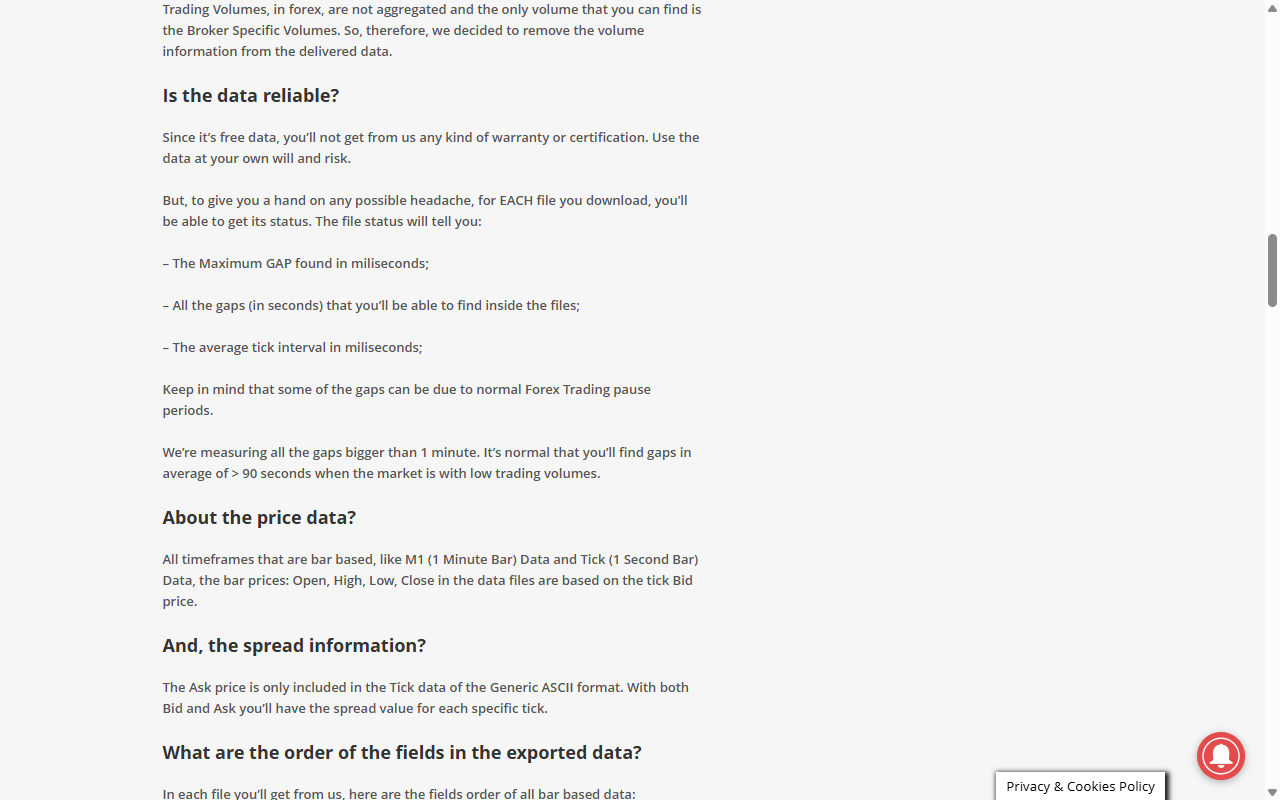
A weekend with no quotes is a closed market. It is not proof the zip is corrupt. On 2026-09-24, HistData's FAQ said some gaps come from normal forex pause periods. Gaps longer than a minute are normal when trading is thin.
BarionQuant is a local training desk. The current public build is Windows. More platforms are planned. This page does not name a system you cannot download yet. The HistData CSV Formatter runs in the browser, under Free Trader Tools. The file stays on your machine. We are not a broker, and HistData.com is not our product.
What "success" means — one Ready series and one Training sitting — is the related article under this page. This page is only the failure test.
How to judge
Three checks before you download another month.
Is this the dialect the file actually is?
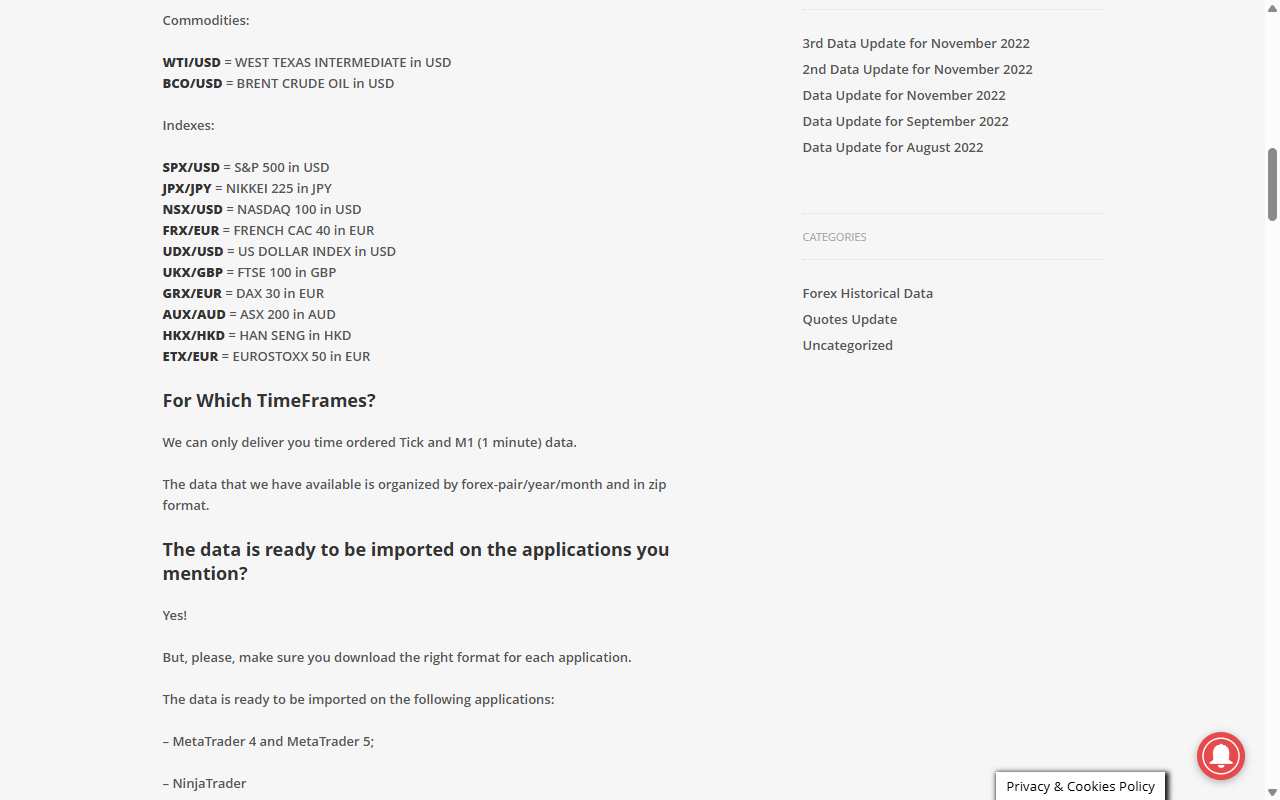
On 2026-09-24 the FAQ said HistData delivers time-ordered Tick and M1 only, packed as pair/year/month zips. It also said to download the right format for each application. Further down, bar files are listed as DateTime,Open,High,Low,Close,Volume.
A Generic ASCII M1 row is a different shape: semicolon, no header, YYYYMMDD HHMMSS. Feed a comma file, a tick file, or a random CSV into a dialog that wants the other shape, and the import rejects it. Fix this file. Do not import five more.
Is the hole a weekend, or a weekday gap?
The same FAQ says each download can include a status report: maximum gap, the gaps inside the file, and average tick interval. Pauses belong in that report.
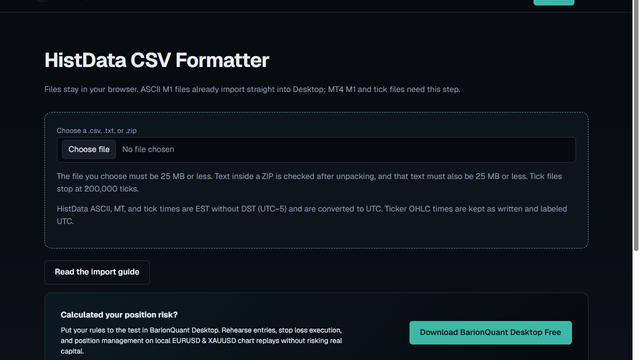
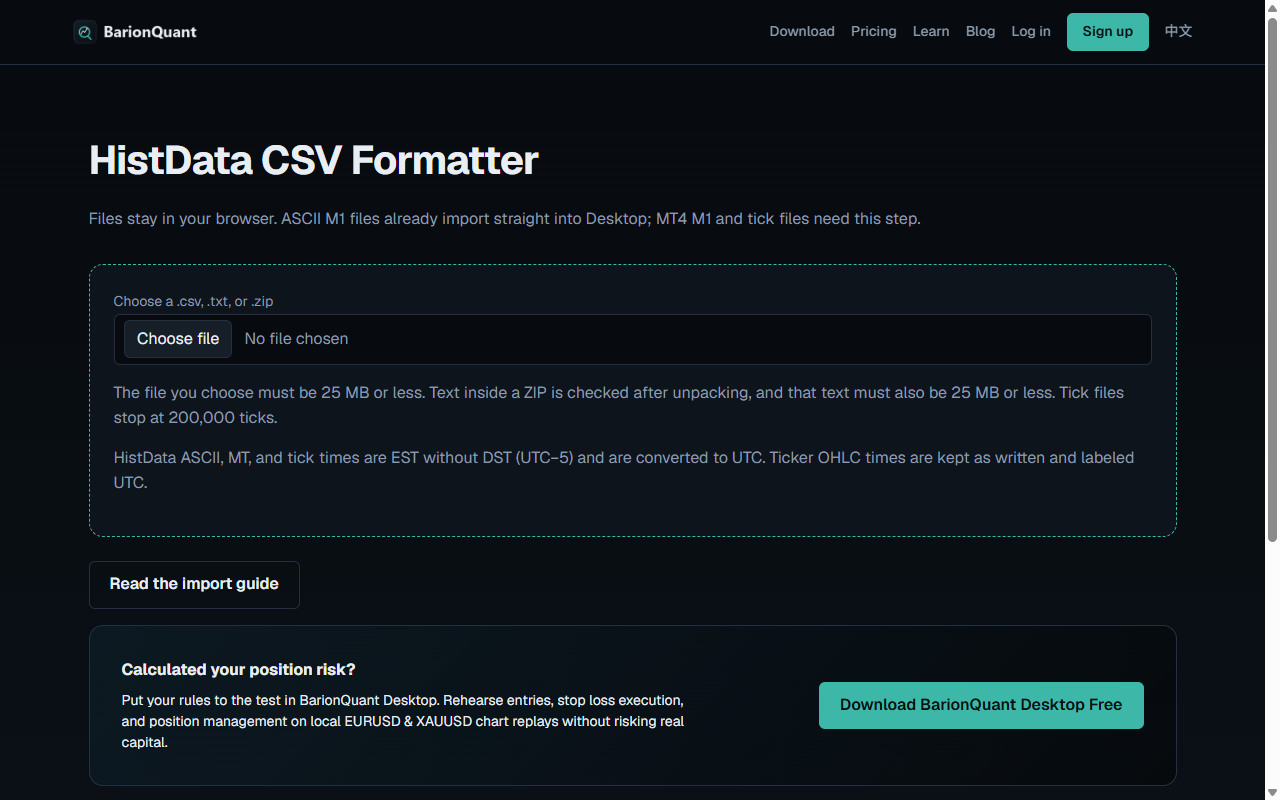
The formatter line "Gaps over 5 min (weekdays)" does not count an interval that spans Saturday. It does not delete those rows.
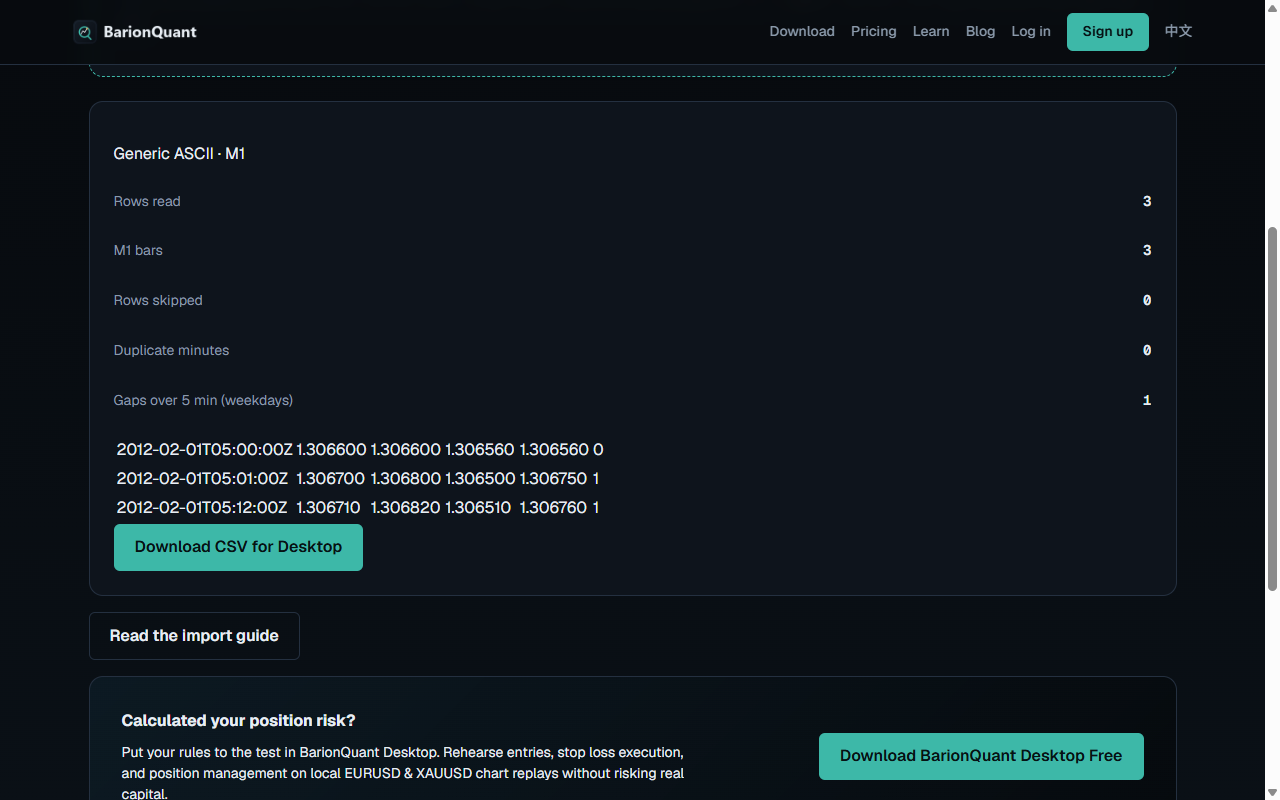
On 2026-09-24 a three-row ASCII M1 sample — 00:00, 00:01, then 00:12 — came back as Generic ASCII · M1. The report read 3 rows, 3 bars, 0 skipped, and 1 weekday gap. Clocks were labeled UTC after the page's EST-without-DST shift, so 00:00 became 05:00Z.
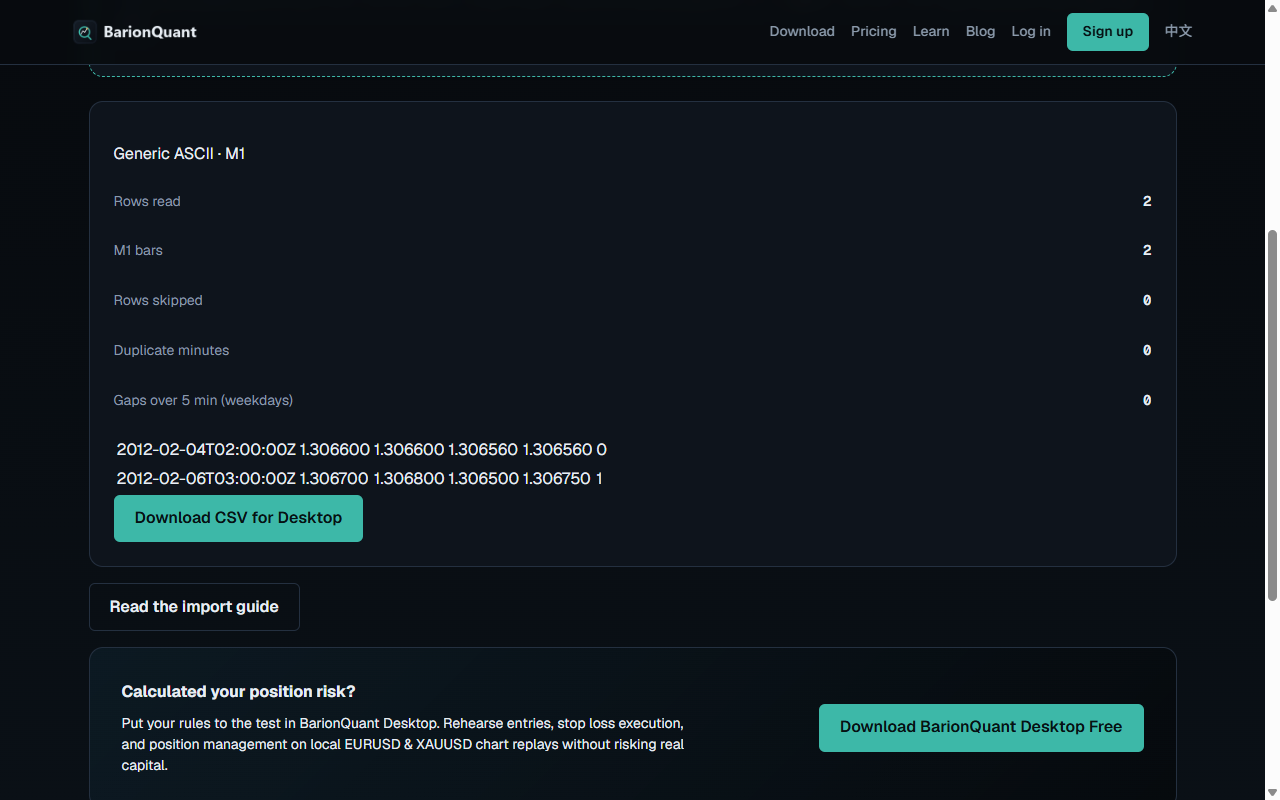
A second sample used Friday 21:00 EST and Sunday 22:00 EST. It still returned 2 bars, and the weekday gap count was 0. The table showed those instants as 2012-02-04 02:00Z and 2012-02-06 03:00Z. Both rows were still there.
Did you stop after one file?
The formatter subtitle says ASCII M1 files already import straight into Desktop. MT4 M1 and tick files need this step. The same screen caps a file at 25 MB. Tick files stop at 200,000 ticks.
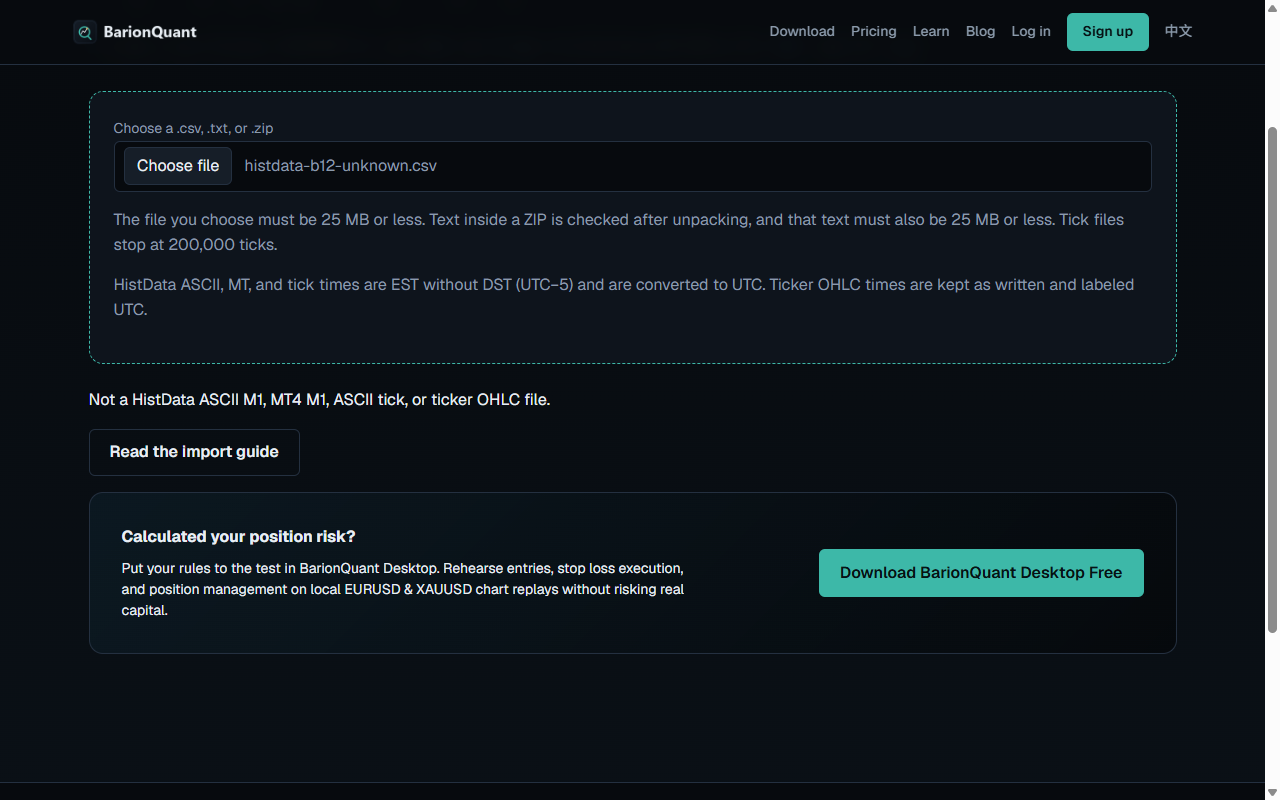
A file that matches none of the known dialects shows this sentence: "Not a HistData ASCII M1, MT4 M1, ASCII tick, or ticker OHLC file." When you see it, stop. Use the in-app sample, or one M1 month you can finish.
What we do
Method first. The file is equipment for one sitting, not a collection.
If the pack is Generic ASCII M1, try Import once. If the dialog rejects it, or the pack is MT4 M1 or tick, open the HistData CSV Formatter and use the button labeled Download CSV for Desktop. Tick rows become M1 from the Bid. The file never leaves the browser.
Then use the Download button on this page. Free starts at EURUSD. The Training clicks stay in the related article.
Honest comparison
MetaTrader's History Center wins when you want a separator, skipped columns, and a time shift inside the terminal. Keep that path if the terminal is the product. This page will not reprint their click list.
Forex Tester wins when you want a mature import mapper and a paid history stack. If column roles are why you opened the tab, stay there.
BarionQuant wins when you want one practice file cleaned in the browser, then a local sitting. There is no Mac build in the current public download. There is no browser replay. We do not promise that every CSV will load.
Who should skip
- You need HistData's MetaTrader import tutorial. That FAQ is theirs.
- You need a guarantee for any CSV, any year, or any platform.
- You want the formatter to erase weekend quotes. It does not.
- You want signals, pair picks, or a broker account.
Screenshots
FAQ
Does the formatter delete weekend gaps?
No. It reports weekday gaps over 5 minutes. An interval that spans Saturday is not that count. The weekend rows stay in the file.
Will Generic ASCII M1 always need the formatter?
No. The page says ASCII M1 files already import straight into Desktop. Use the formatter when Import rejects the file, or when the pack is MT4 M1 or tick.
Is a silent reject a reason to download the next year?
No. Check this file's dialect first. If the formatter does not recognize it, stop.
Do you connect to HistData or to my broker?
No. HistData is a third party. The formatter reads a file you already have. Practice on our desk is simulated.
Next step
If the three checks match, use Download on this page. Clean one file first in the HistData CSV Formatter, on Free Trader Tools. The Ready-and-Training test is the related article.
Educational content. BarionQuant is not a broker and does not provide investment advice or trade signals. Past practice results do not predict future outcomes. HistData FAQ cited as of 2026-09-24 from their public page.