Skip the MetaTrader install — or accept it
A Soft4FX alternative without MT4 is an install decision, not a feature checklist.
Direct answer
You can practice without MetaTrader only if the tool you pick does not require that terminal on the machine.
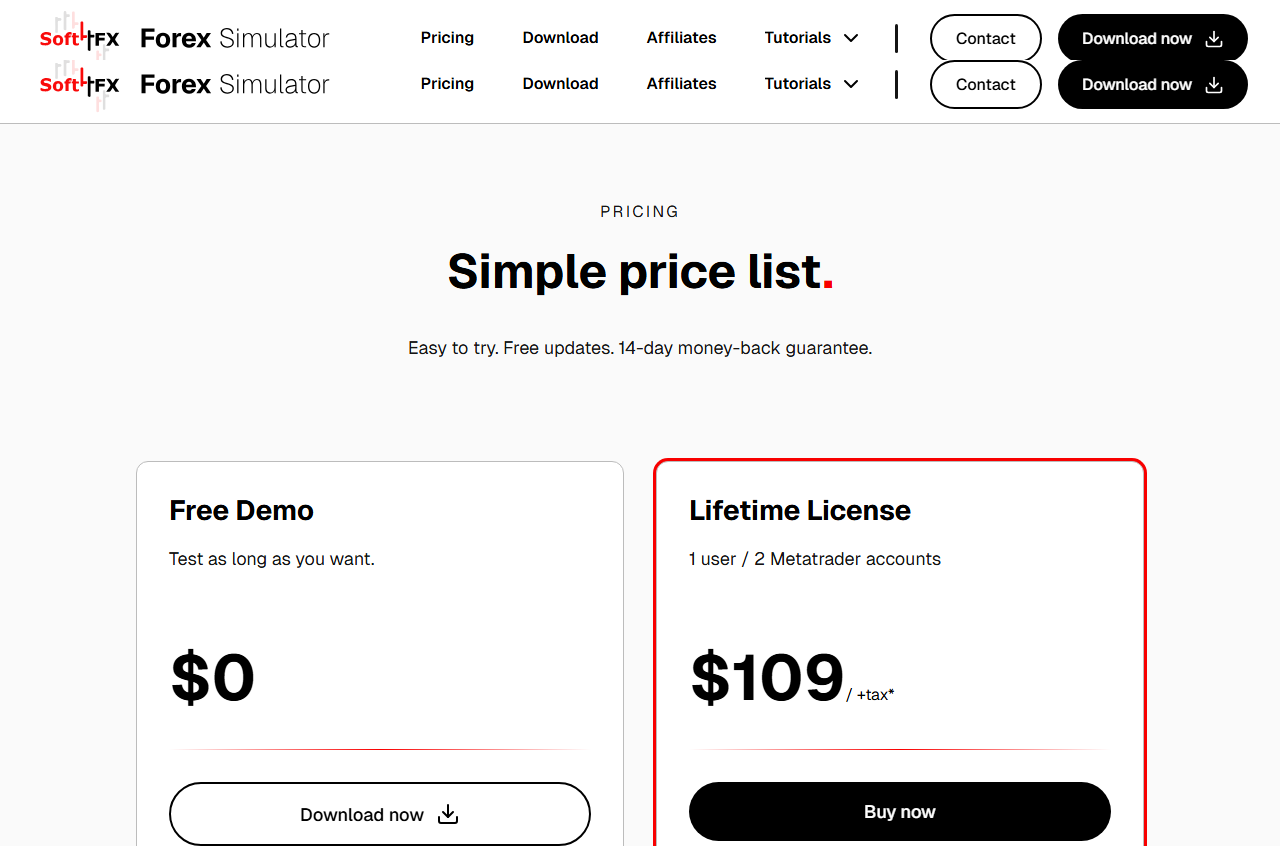
Soft4FX is not that tool. Their install tutorial on soft4fx.com assumes MetaTrader is already there, and their troubleshooting says the simulator will not start until that terminal shows a connected account. On 2026-09-17 their public price list was $109 plus tax, one user, up to two Metatrader accounts.
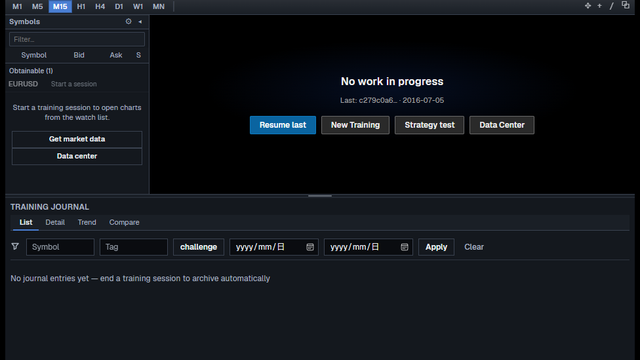
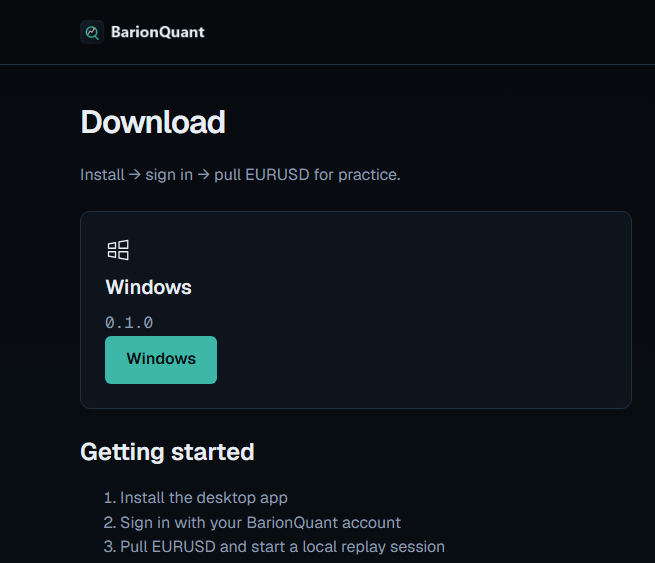
BarionQuant is a separate Windows training desk. The Download button on this page is our installer, then our sign-in, then Free EURUSD. There is no MetaTrader field. A paid seat includes the replay handbook. We do not ship a Mac build, a browser replay, or a 20-year official tick pack. We are not a broker.
If your charts and indicators already live in MT4 or MT5, this page is the wrong fork. Read the published article “Leave MetaTrader to practice — or stay. How to choose vs Soft4FX.” Stay on the plugin if that layout is the point.
How to judge
Will you install MetaTrader on this PC at all?
Soft4FX’s simulator is an add-on. No terminal, no simulator. That is a fair design if you already run MT4 or MT5 every day. It is a dead end if you searched because you do not want another broker platform on the disk.
Browser products also skip the terminal. They skip the local window too. Decide whether “no MetaTrader” means no install of any kind, or a Windows app that is not MetaTrader.
What login actually starts a session?
Soft4FX’s connection errors are about the MetaTrader account, not a practice-site password. Their price page ties the paid license to Metatrader account numbers.
BarionQuant starts with a BarionQuant account. Free tier is EURUSD practice. The download page does not ask you to open a broker demo so the chart will move.
Are you paying for the MT picture, or for a method seat?
The plugin’s real product is speed on the charts you already trust, plus the tick history they bundle. If that picture is why you would keep a broker terminal on the machine, pay them.
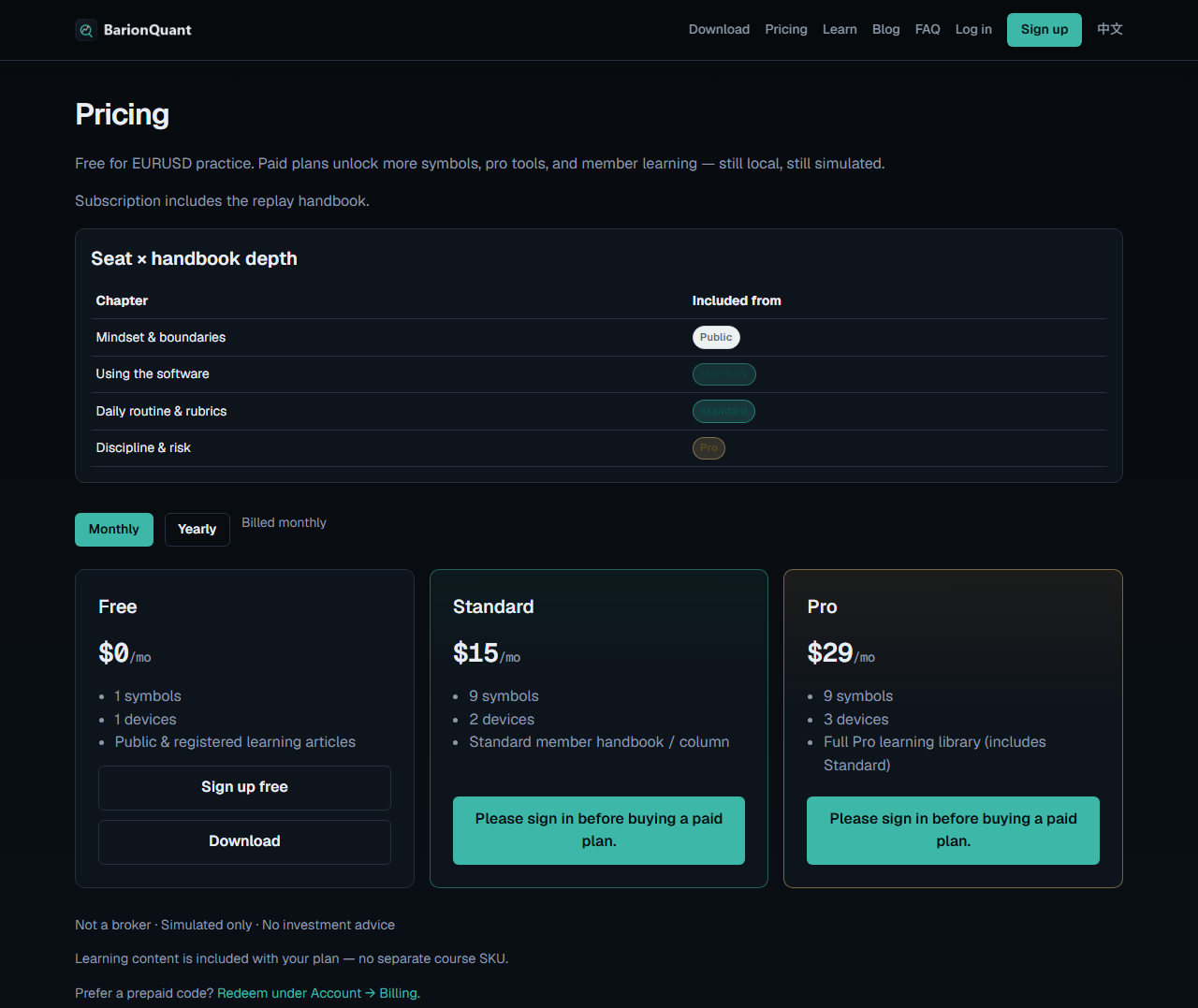
If you want a repeatable local session and a handbook on the same seat, the install you accept is one Windows build. On 2026-09-17 pricing showed Free $0/mo, Standard $15/mo, Pro $29/mo. The yearly toggle on the same page showed $150/yr and $290/yr. The monthly numbers are what the screenshot shows. Yearly is from the toggle, not printed on that image.
What we do
The site is the method shelf. The desktop is where you rehearse. Practice and judgment come first. The software is the desk.
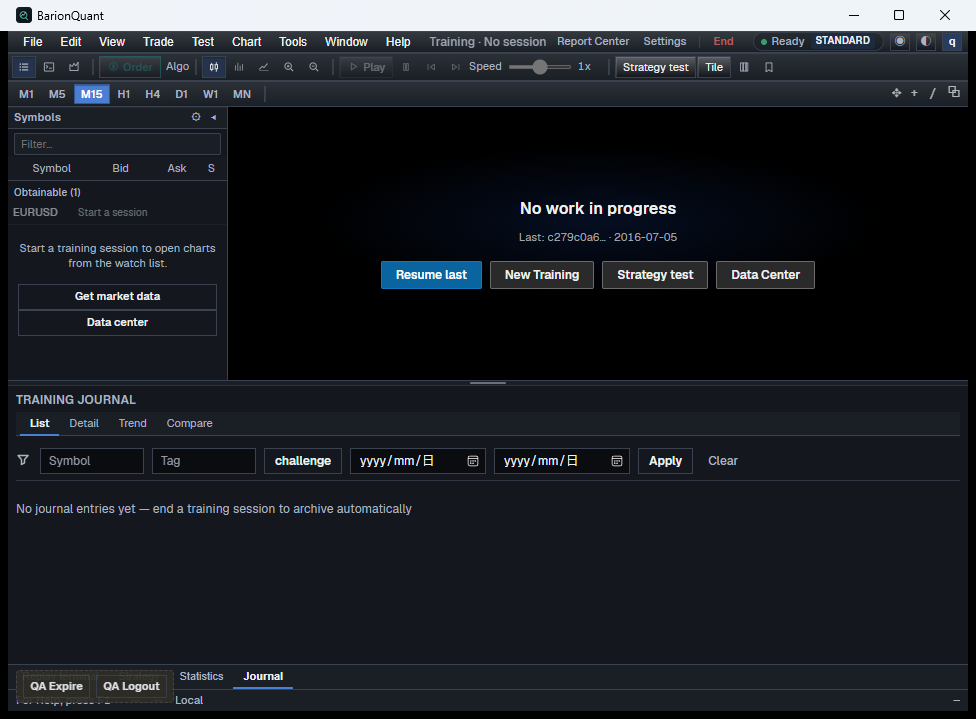
The window in the screenshot is titled BarionQuant. There is no MetaTrader chrome. You can see the watchlist, New Training, and Data Center. That capture is a local QA build from 2026-09-17, session not open, with a QA expire/logout strip. That strip is dev chrome. It is not a signed store installer, and it is not a broker ticket.
The Risk disclosure link on this page is the legal line. BarionQuant is not a broker. This article does not walk an installer click by click.
Honest comparison
Install path only. Soft4FX figures are from their public price page on 2026-09-17, not a coupon blog.
- Install first. Soft4FX: MetaTrader 4 or 5, then their simulator. BarionQuant: our Windows build only.
- What must be connected. Soft4FX: a MetaTrader broker account. BarionQuant: our sign-in.
- Public price. Soft4FX: lifetime $109 plus tax. BarionQuant: Free $0, Standard $15/mo or $150/yr, Pro $29/mo or $290/yr.
- Platform. Soft4FX: Windows, Mac means a VM. BarionQuant: Windows only, no Mac, no in-browser replay.
- Broker. Neither is a broker. Soft4FX still lives inside a broker terminal. BarionQuant takes no deposit and holds no custody.
- Where they win. Soft4FX: you keep the MT layout you already installed. BarionQuant: you never install MetaTrader to practice.
Soft4FX, said plainly: if the terminal is already your desk, the extra install is small and the one-time license is coherent. Do not rip it out because a blog prefers a different window.
BarionQuant, said plainly: we only win the “without MetaTrader” search when refusing that install is a real constraint. We lose the native MT templates, the long bundled tick archive, Mac, and browser-only practice.
Who should skip
Skip us if:
- Your layout only exists inside MetaTrader and you will not rebuild it.
- You want a browser and zero desktop install.
- You need the long tick archive that ships with their license.
- You are on Mac and will not use Windows.
- You want this page to name a pair or a click. We will not.
Skip Soft4FX if getting a broker terminal onto the machine is the requirement you are trying to avoid.
Screenshots
FAQ
Is this the same article as the Soft4FX comparison?
No. That one is for people who already use the terminal and might leave it. This one is for people who do not want MetaTrader installed in the first place.
Do I need a broker demo to try BarionQuant?
No. Sign in on our side and pull Free EURUSD. Soft4FX’s paid license, on their pricing page, is tied to Metatrader accounts, and their simulator expects the terminal to be connected.
Can I run my MT4 indicators here?
No. If that library is the reason you would install MetaTrader, stay there.
What about antivirus warnings on Soft4FX?
Their troubleshooting says security software sometimes blocks the simulator. We do not tell you how to change that. If that fight is why you want out of the plugin, the exit is a different program.
Is this a signal or a broker?
No. Practice software and a handbook. Not investment advice. Not a place to deposit.
Next step
If you will not install MetaTrader, use the Download BarionQuant button on this page and start on Free EURUSD. Open pricing only after the desk is the thing you want.
If you will install MetaTrader because the chart you already trust is the point, stop here and use Soft4FX. If you are already inside the terminal, read “Leave MetaTrader to practice — or stay. How to choose vs Soft4FX.”
Educational content. BarionQuant is not a broker and does not provide investment advice or trade signals. Past practice results do not predict future outcomes. Competitor prices and install requirements cited as of 2026-09-17 from soft4fx.com public pages. BarionQuant prices cited as of 2026-09-17 from the public pricing page (monthly cards in the screenshot; yearly from that page’s Yearly toggle).