
Repeat the tape — then touch a live feed
Why local replay first? Because a tape you can run again is a lab. A feed that never repeats is a different classroom.
Direct answer
If you search why local replay or local forex chart replay, most pages either sell a browser simulator, explain TradingView Bar Replay, or argue demo versus live. The useful fork is simpler.
Local replay first means you practice on market data that already lives on your machine (or in a fixed historical session), so the same bars can return. You can change one variable — a rule, a skip, a note — and see whether the process changed. Live and demo feeds never give you that exact classroom twice.
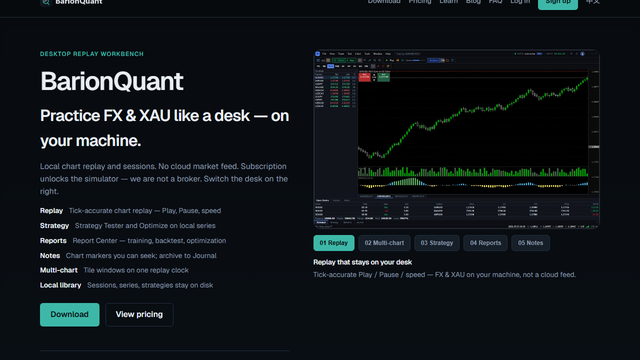
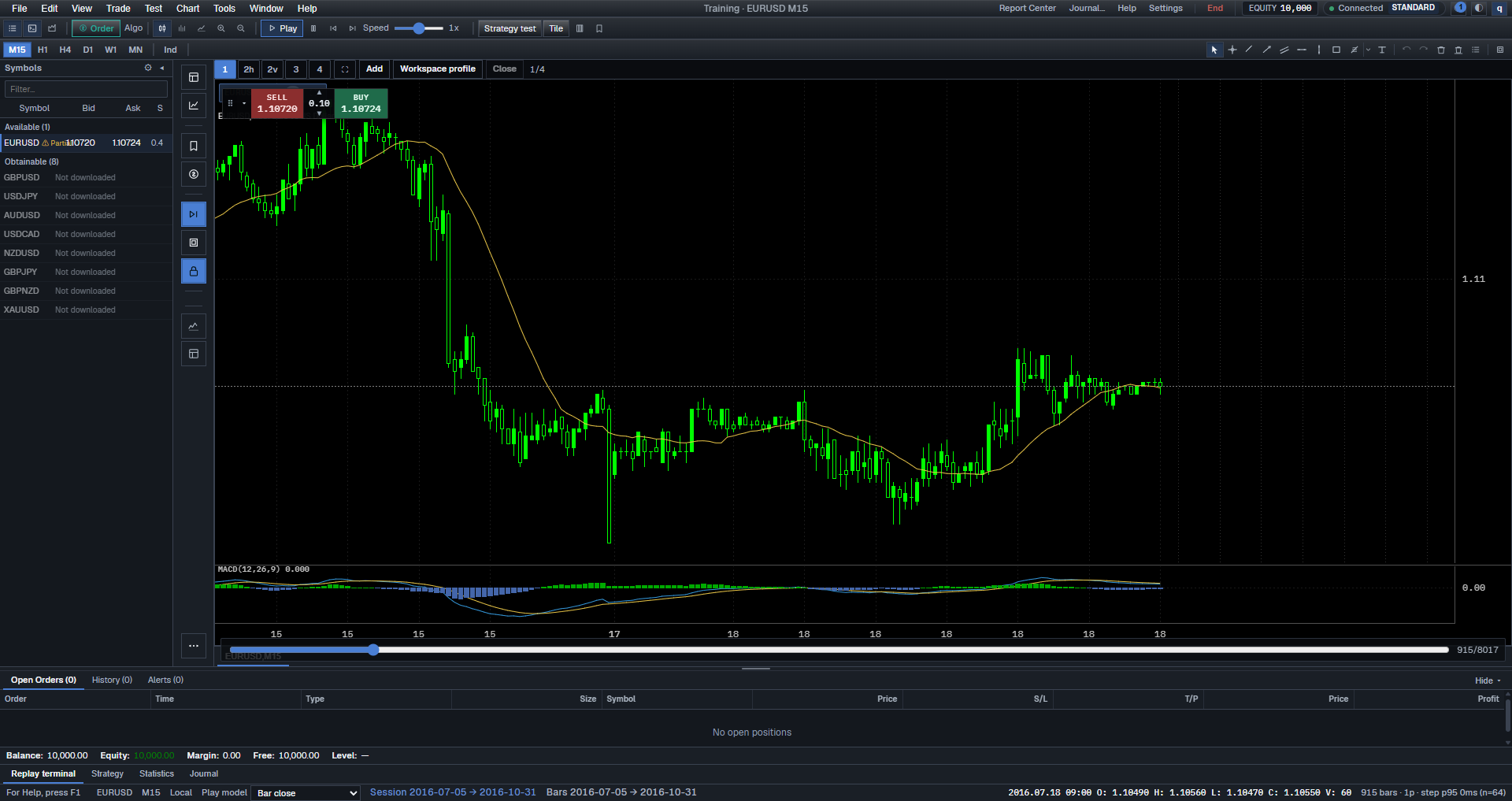
BarionQuant is a Windows training desk for that lab: local chart replay and sessions, Free EURUSD to start, handbook depth on the seat. We are not a broker. We do not sell a cloud market feed as the product. Replay P&L is process evidence, not proof you are ready for size.
The public handbook lesson Why practice with local replay first (/en/learn/why-local-replay) keeps the practice checklist. This Blog page is the search-facing decision frame — not a paste of that list.
How to judge
Three standards before you call any sitting “practice.”
1. Can you repeat the same stretch of tape? If the next bar is always a new live bar, you cannot separate a better process from a different market. Local replay wins when repetition is the job. Demo and live win when you need the clock and the broker UI of now.
2. Are you training decisions — or the broker’s platform? Demo accounts are honest at teaching order tickets, margin screens, and how that broker feels in real time. That is a real skill. It is not the same skill as rehearsing a rule on a fixed window of bars. Do not shame demo use — just name which classroom you opened.
3. Where does the session live: machine, or another tab? TradingView Bar Replay and cloud replay products win when any device and a browser tab are the requirement. A dedicated Windows window wins when you want files and sessions on the PC you control. TradingView vs a local desk (/en/blog/compare-tradingview) is the product fork; this page is the method fork.
What we do
I treat replay as a lab bench, not a forecast. Positioning B: method first; the desktop is the gym floor.
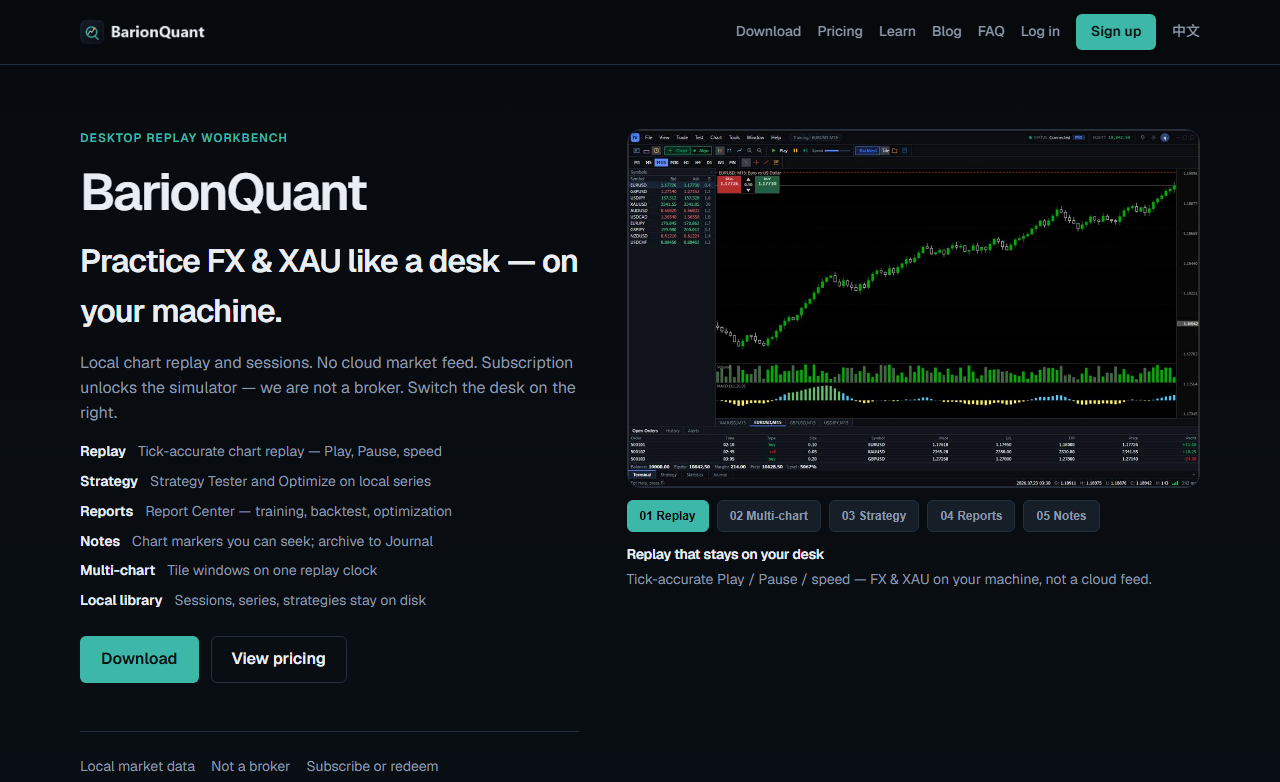
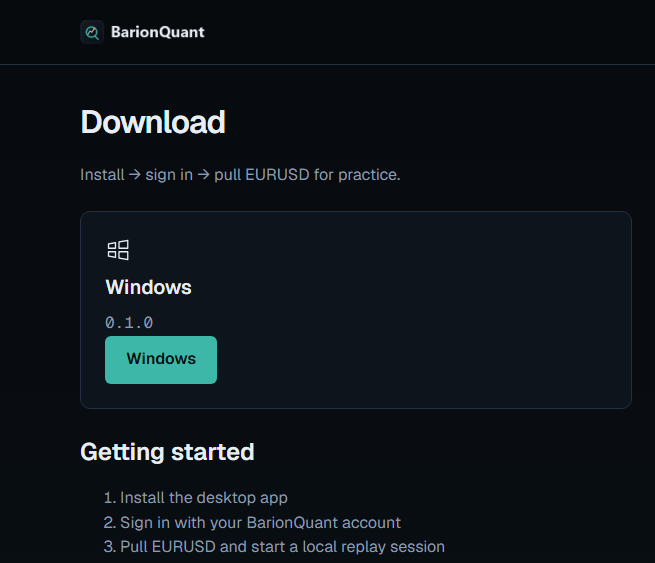
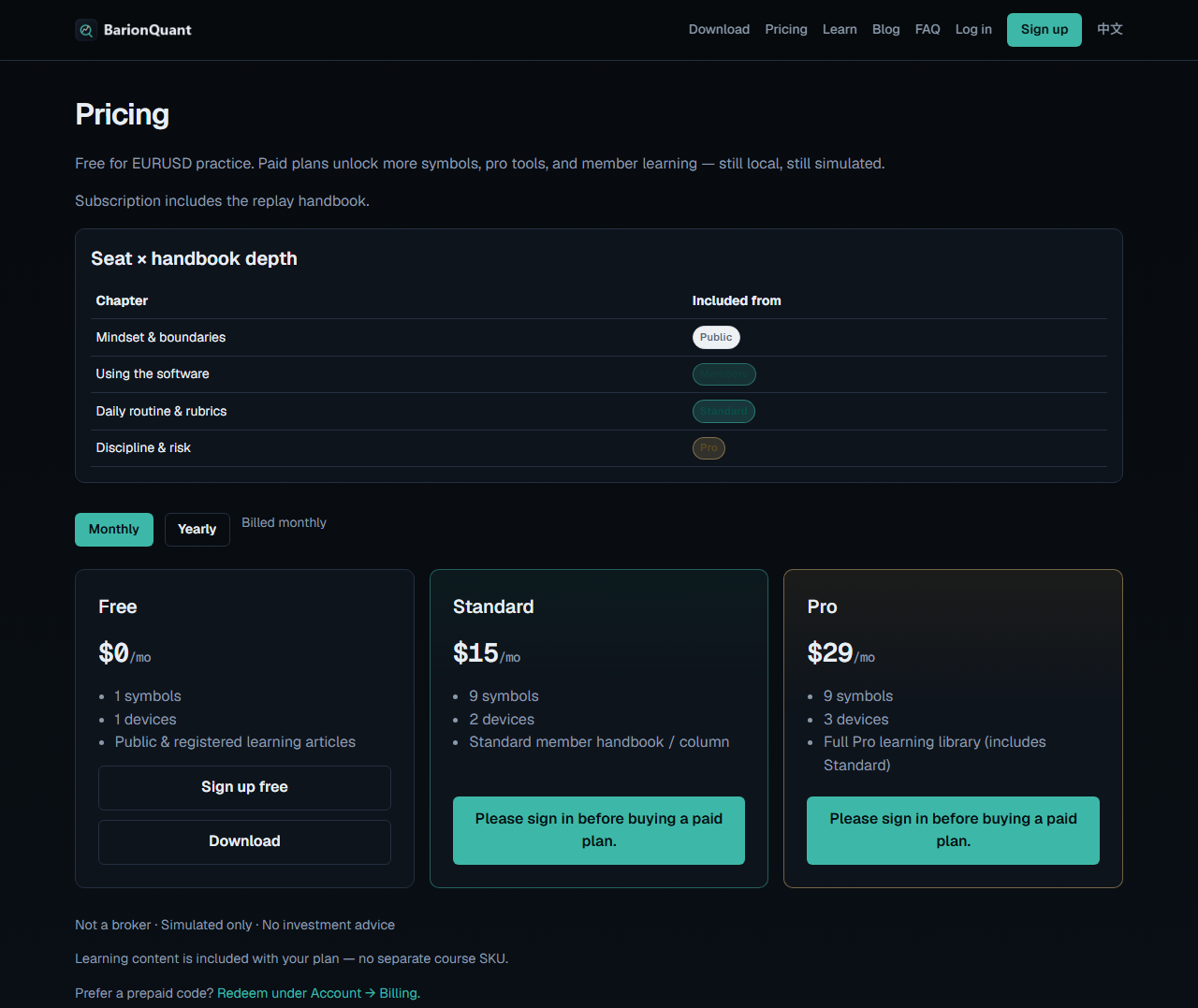
The live homepage (/en) on barionquant.com frames a Desktop Replay Workbench: local chart replay and sessions, no cloud market feed as the product, not a broker. Download (/en/download) is install → sign in → pull EURUSD. On 2026-09-18 anonymous Pricing (/en/pricing) showed Free $0/mo, Standard $15/mo, Pro $29/mo. Free is enough to start the lab; paid seats add symbols, devices, and handbook depth.
A Lab chart capture shows a local EURUSD session with transport. On-chart Buy/Sell there is paper simulation, not a live broker ticket. For the first sitting frame after install, see First 15 minutes after install (/en/blog/first-15-min-web). Boundaries: Not a broker (/en/learn/not-a-broker).
Honest comparison
Broker demo wins for platform mechanics and watching today’s market unfold. Keep it when that is the homework. It loses when you need the same bars tomorrow.
TradingView Bar Replay / browser simulators win for chart-site workflow and cross-device convenience. Keep them when the tab is the classroom. They are not our Windows desk, and we will not pretend otherwise.
Deep backtesting IDEs win for long vendor history and import mappers. Keep them when depth is the requirement. We sell a practice system with a handbook, not a 20-year tick arms race.
BarionQuant wins only if “same bars on my PC + method seat + start Free” beats “demo tonight” or “Bar Replay in the chart I already pay for.” We lose Mac and browser-native replay. Say that before you download.
Who should skip
Skip us — or skip “replay first” — if any of these are true:
- You only need to learn one broker’s order ticket this week. Use that broker’s demo; come back when you want a repeatable lab. - You require a browser tab on every OS with no Windows install. - You want this page to prove live profitability. Replay does not do that — and we will not claim it. - You want pair picks or signals. We will not provide those.
Screenshots
FAQ
Is this the same as the Learn article? Same theme, different job. Learn keeps the practice checklist. Blog answers the search query and the vs-demo / vs-tab fork.
Does local replay replace a demo account? No. Different classrooms. Replay for repeatable decisions; demo for broker UI and live-time workflow.
Will replay P&L tell me I am ready to go live? No. It scores process on a fixed tape. It does not predict the next live week.
Are you a broker? No. Read not a broker (/en/learn/not-a-broker).
Next step
If the three standards point to a local lab: download the Windows build (/en/download). For seat math: Pricing (/en/pricing). For the handbook practice frame (not pasted here): Why practice with local replay first (/en/learn/why-local-replay).