
Finish one replay sitting — then stop decorating
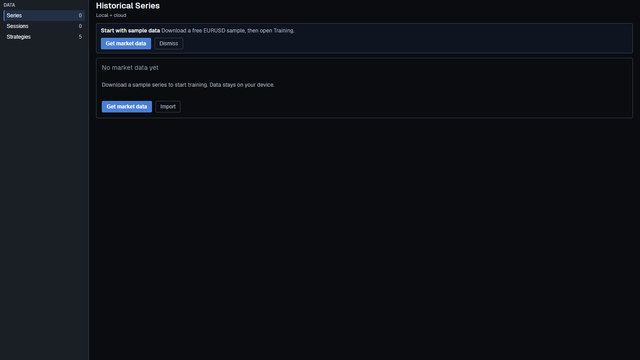
The first 15 minutes after install succeed when you can start and end one local session — not when the workspace looks pretty.
Direct answer
If you search first 15 minutes after install for a forex practice desk, most pages either dump a click list or sell a Quick Start from another product. That still skips the decision you need on day one.
Success is one finished local sitting. Install from the public Download page, sign in, get EURUSD on the machine, open a Training session, Play briefly, and end it. Themes, indicators, Strategy Tester, and a second symbol are noise for that sitting.
BarionQuant is a Windows training desk — local files, simulated practice, Free EURUSD to start. We are not a broker. The exact click order lives in the registered handbook lesson Your first 15 minutes after install (/en/learn/first-15-min). This public page only gives the judgment frame so you know what “done” means before you decorate.
How to judge
Three standards. Score the sitting against these — not against a prettier chart.
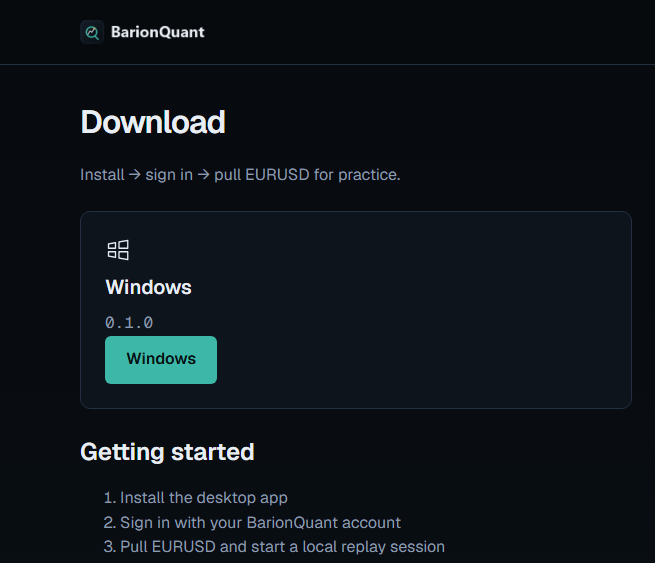
1. Did the install come from the official Download path? The live Download (/en/download) page says Install → sign in → pull EURUSD for practice. On 2026-09-18 it offered the Windows build 0.1.0 and a Getting started list with the same three beats. Do not sideload a random zip from a forum. Do not treat a broken Vite URL in Chrome as the product.
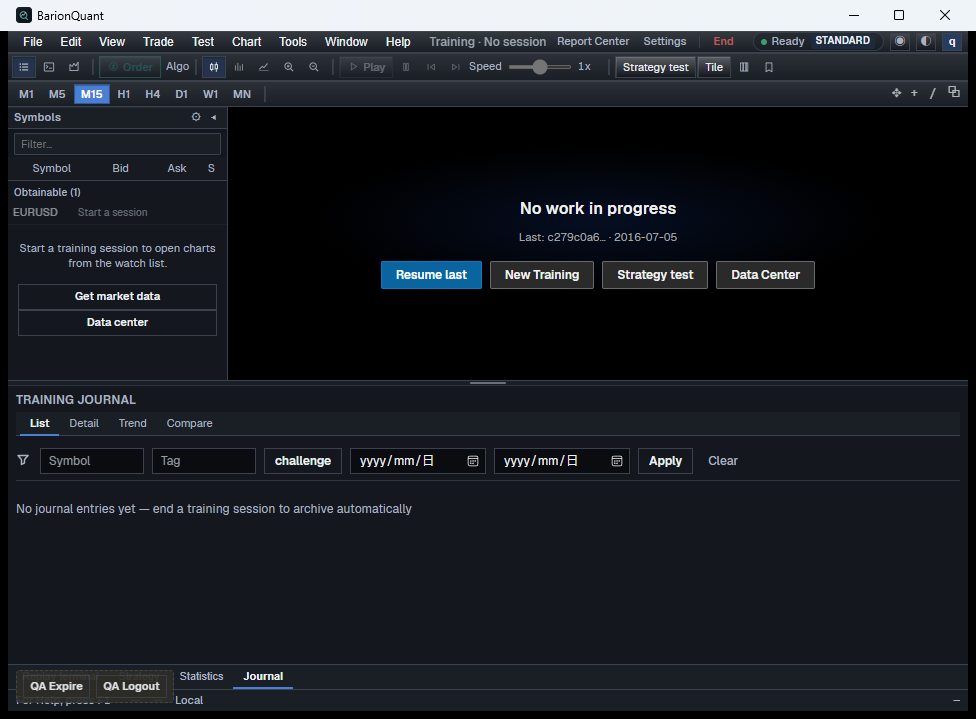
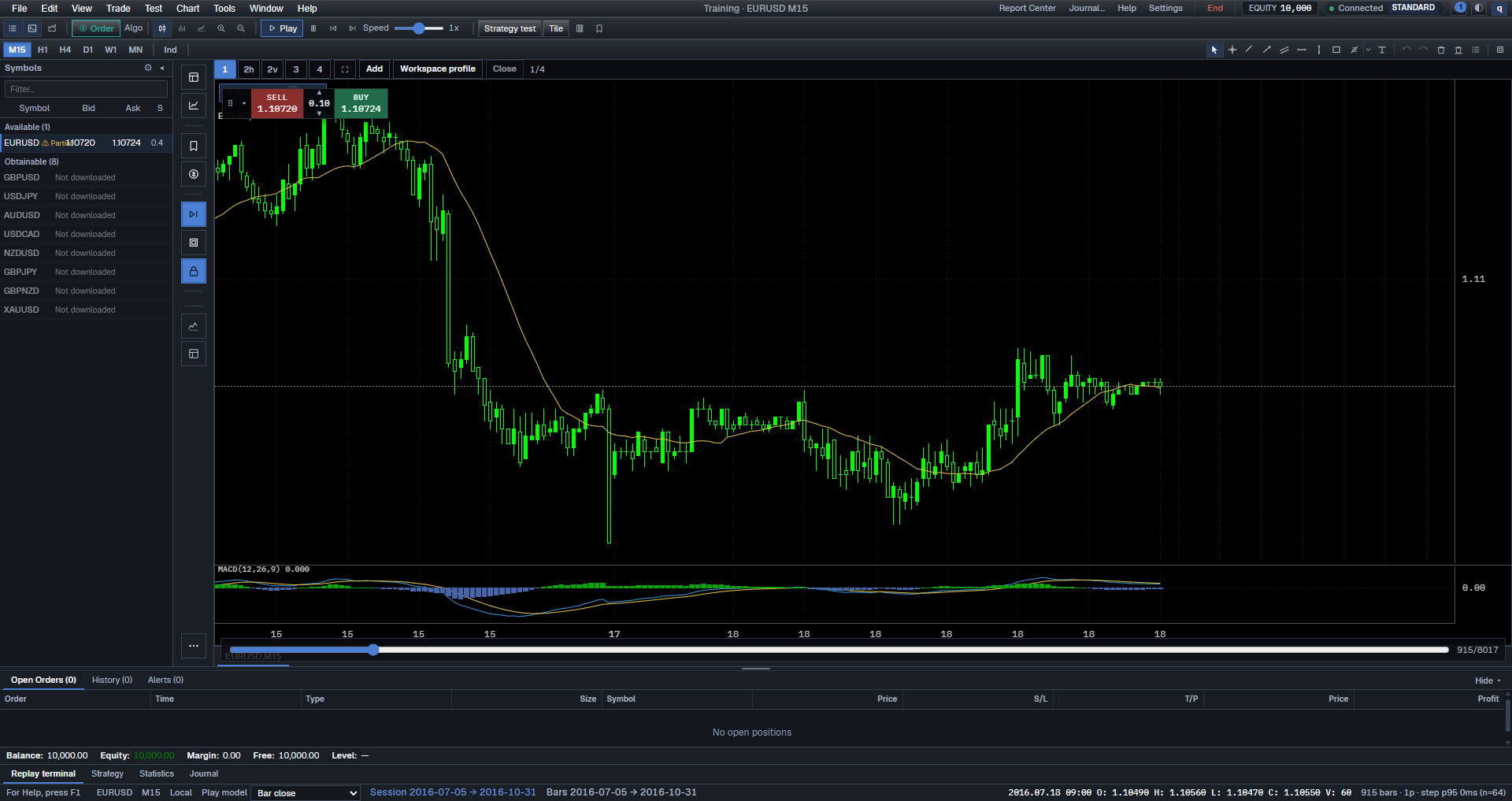
2. Did you finish one Training session you can end? Empty desk → data on the device → a session with Play / Pause / Step → end the session. If you only rearranged panels and never opened a session, the sitting failed even if the UI looks “set up.”
3. Did you refuse the first-sitting trap? No Strategy Tester in the first 15 minutes. No theme tour. No downloading three symbols before one session ends. The job is motor memory: start, play, end — then stop.
What we do
I treat the website as the shelf and the desktop as the gym floor. Positioning B: method first; the window is where you rehearse.
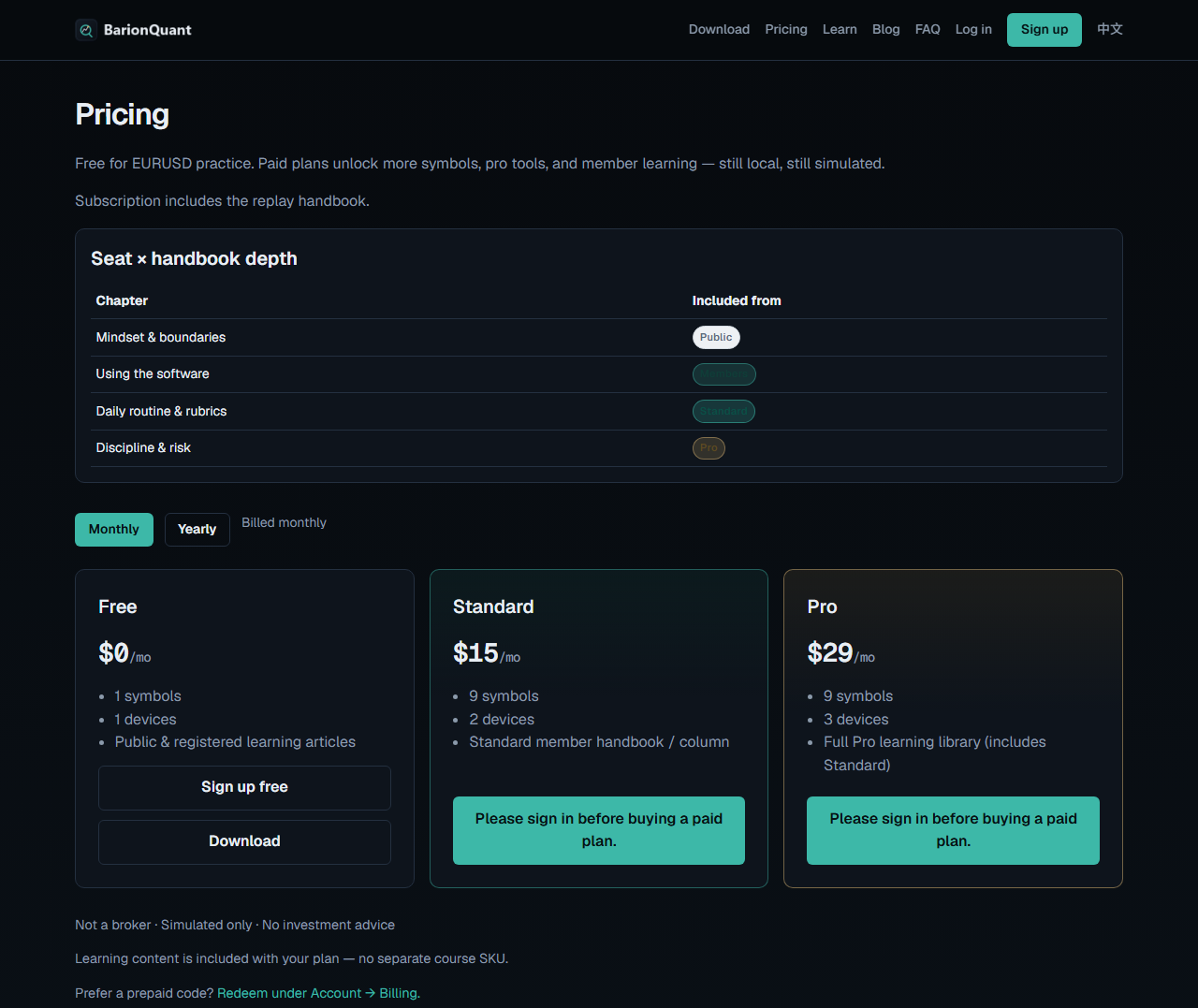
On 2026-09-18 anonymous Pricing (/en/pricing) showed Free $0/mo, Standard $15/mo, Pro $29/mo (Yearly $150 / $290 on the same URL). Free is enough to practice EURUSD. Paid seats add symbols, devices, and handbook depth. Nobody asks for a broker deposit.
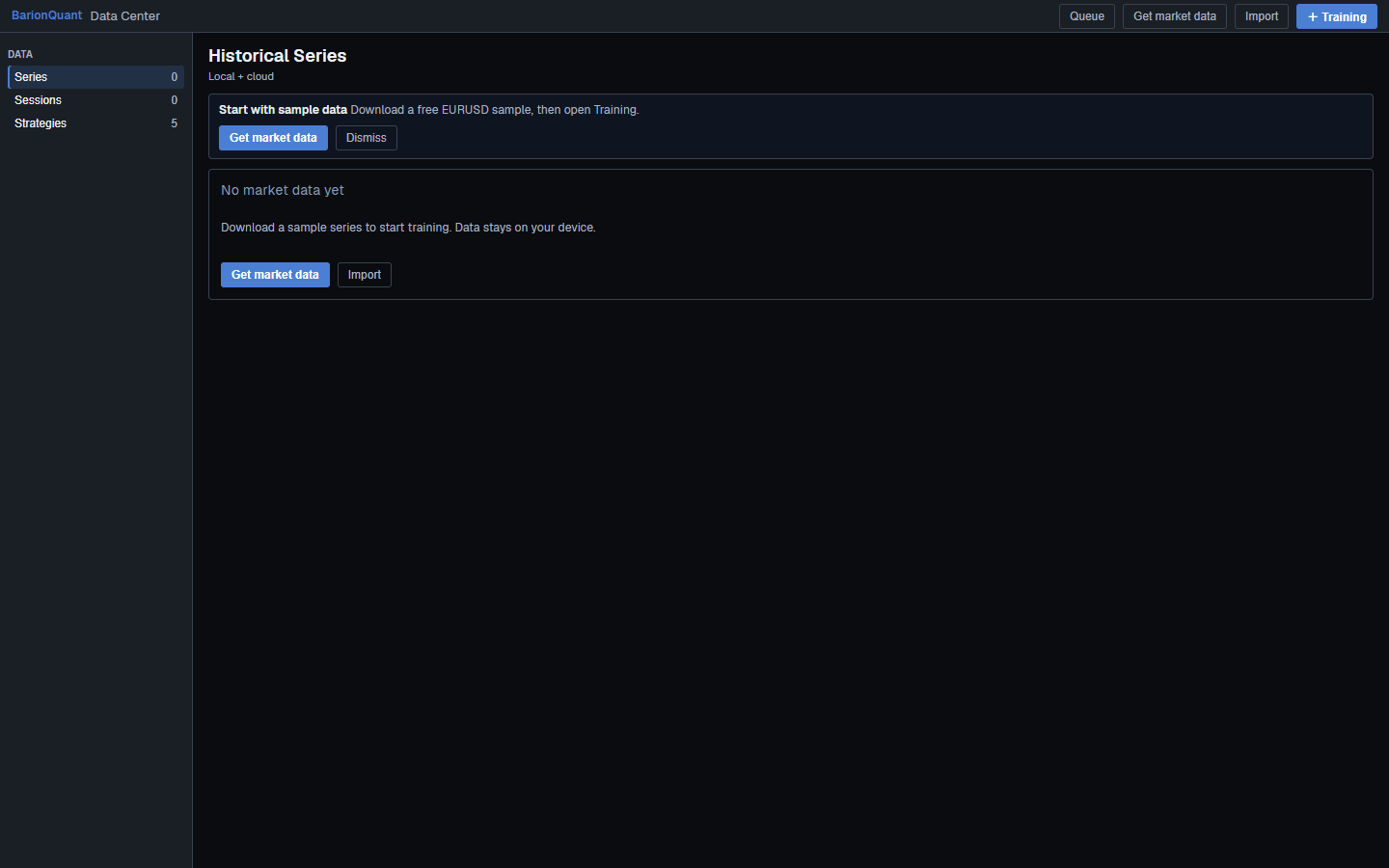
Download is the only customer install path we document. Data Center empty state says sample data stays on your device. A Lab chart capture shows EURUSD M15 with a replay bar; on-chart Buy/Sell there is paper simulation, not a live ticket.
For the minute-by-minute checklist aligned with shipping UI, sign in and read first 15 minutes (/en/learn/first-15-min). Public Blog will not paste that gated list — labels move; the handbook is where we keep click order honest.
Legal boundary: Not a broker: training-tool boundaries (/en/learn/not-a-broker).
Honest comparison
Other Quick Starts are fair at what they optimize.
Forex Tester / similar IDEs win when you want a mature New Project → Start Test path and deep vendor history. Their “done” often means a project running with their data stack.
Browser replay / cloud classrooms win when any device and a tab are the job. That is not our seat.
BarionQuant wins only if your first-sitting definition is a local Windows session you can finish, with Free EURUSD and a handbook on the seat. We lose Mac, browser replay, and the tick-depth arms race. Say that before you download.
Sibling forks if you are still choosing a product category: Soft4FX alternative (/en/blog/compare-soft4fx) · FX Replay alternative desktop (/en/blog/compare-fx-replay).
Who should skip
Skip this path — or skip BarionQuant — if any of these are true:
- You need a Mac-native desk or a browser tab on every device. - You want this page to list every menu click without signing in. That table is gated on Learn so it can stay aligned with the shipping UI. - You came for signals, pair picks, or a broker deposit flow. We will not provide those. - You plan to spend the first sitting on Strategy Tester or a full indicator stack. End one session first; decorate tomorrow.
Screenshots
FAQ
Is this the same as the Learn lesson? No. Learn first-15-min (/en/learn/first-15-min) is the registered checklist. This Blog page is the public success frame and Download CTA.
Do I need a paid plan for the first sitting? No. Free EURUSD is enough to rehearse start → play → end.
What if Windows SmartScreen appears? Treat it as a system prompt. Prefer the installer from Download (/en/download). Do not follow random “bypass” posts.
Will you tell me which pair to trade? No. Practice only. Read not a broker (/en/learn/not-a-broker).
Next step
If the three standards match what you want from day one: download the Windows build (/en/download). If you want seat math and handbook depth on one page: Pricing (/en/pricing). When you are ready for the click-order checklist: sign in and open Your first 15 minutes after install (/en/learn/first-15-min).